Common Ninja's No Code Widget Suite | Webflow App
Add Common Ninja widgets to your Webflow site and tune their appearance to suit your design.
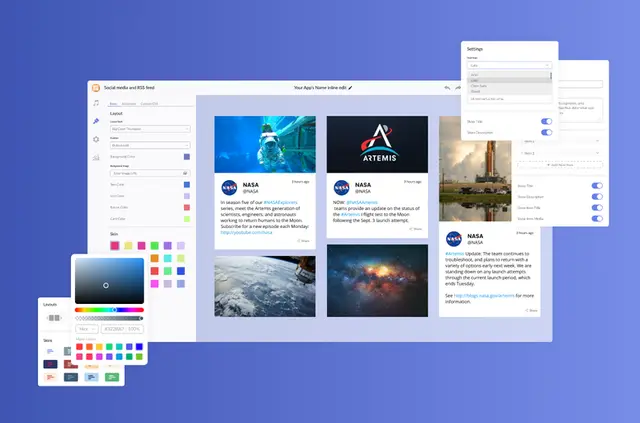
Common Ninja works in the Webflow Designer through a designer extension, on your published site through widgets, and in its own dashboard for managing a website’s widgets. Widgets can use Webflow APIs to display information from CMS collections and commerce data.
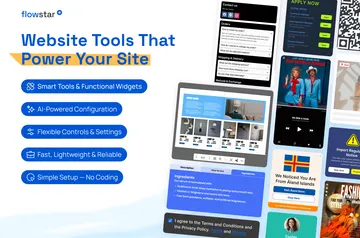
The collection offers tools for displaying data, answering questions, presenting prices, sharing feeds, communicating, and adding interactive content. Its editor lets you customize fonts, colors, shapes and sizes without coding.
Worth checking first
Common Ninja describes its widgets as mobile-friendly and SEO-friendly, and says they are designed not to hinder site loading speeds. The provider says it audits its servers, code and API for security.
Some feed and chat widgets connect to services such as Facebook, WhatsApp, YouTube and RSS.
Getting started in Webflow
Install Common Ninja in Webflow, then use the designer extension to add widgets. Manage the widgets for your website through the Common Ninja dashboard and adjust their appearance in the editor.
Widgets can draw on Webflow CMS collections and commerce data through Webflow APIs. The collection covers design, information, communication and conversion needs.
Access and pricing
Common Ninja has a free option as well as paid plans. When installed, it requests permission to edit pages, custom code, assets and sites, and to read CMS, ecommerce, site members and your user profile.
Questions about Common Ninja
Can I change a widget’s appearance to match my site?
Yes. Use the editor to adjust fonts, colors, shapes and sizes.
Can widgets display content from my Webflow site?
Yes. They can use Webflow APIs to draw content and data from CMS collections and Webflow commerce.
What kinds of content can I add with Common Ninja?
Options include charts, FAQs, pricing tables, feeds, chat tools, sliders and interactive cards.
Can feeds or chat widgets connect to other services?
Some feed and chat widgets connect to Facebook, WhatsApp, YouTube and RSS.
Does the editor require coding?
No. The widget editor is designed for use without coding knowledge.
Is Common Ninja - All-in-One Widget Suite yours? Add the badge
Show visitors that Common Ninja - All-in-One Widget Suite is featured on FlowFav. Pick a style; the badge is a small image that links to this page and loads no script.
<a href="https://www.flowfav.com/app/no-code-widgets-common-ninja-widget-suite-webflow-app"><img src="https://www.flowfav.com/badge/featured-card-light.svg" alt="Featured on FlowFav" width="146" height="54"></a>