Customize Your E-commerce Experience with Penni Cart Webflow App
For Webflow builders creating online stores, Penni Cart lets you customize the shop and checkout in Webflow.
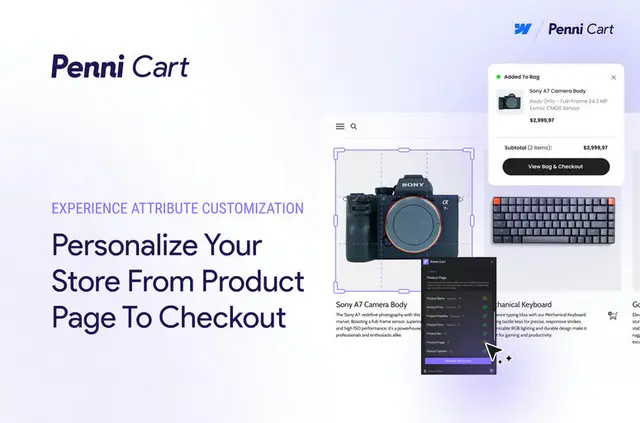
Build an e-commerce store in Webflow and shape its design and checkout there, without separate tools. Penni Cart also supports real-time product updates through Webflow CMS.
Choose a prebuilt template as a base and customize it for your project. Connecting the app with Webflow takes under a minute and calls for no extra JavaScript.
Who it suits
Penni Cart is for people building e-commerce sites with Webflow. It suits projects where you want to handle the shop, product pages and checkout in Webflow, and adapt a template to your needs.
Access and pricing
Penni Cart has a free option and paid plans; it is free for sites hosted on Webflow.io.
When installed, it can edit CMS, pages, custom code, assets, forms, ecommerce, site members and sites. It can read the site activity log, app subscriptions and your user profile.
What you can do with it
Use no-code attributes to adjust shopping experiences such as product pages and checkout. Store design and checkout customization take place in Webflow, while product details can be refreshed through CMS.
Common questions
Does Penni Cart work with Webflow CMS collections?
Yes. You can update products in real time through Webflow CMS.
Can I customize checkout in Webflow?
Yes. Penni Cart lets you customize checkout directly in Webflow, including with no-code attributes.
How long does connecting Penni Cart take, and do I need JavaScript?
Setup with Webflow takes less than a minute, and no extra JavaScript is needed.
Can I start with a store template?
Yes. Penni Cart provides prebuilt templates that you can customize.
Can I use Penni Cart for free on a Webflow.io site?
Yes. Penni Cart is free for sites hosted on Webflow.io.