Streamline User Authentication & Memberships with Memberstack Webflow App
Add membership and SaaS features to selected elements in the Webflow Designer with Memberstack data attributes.
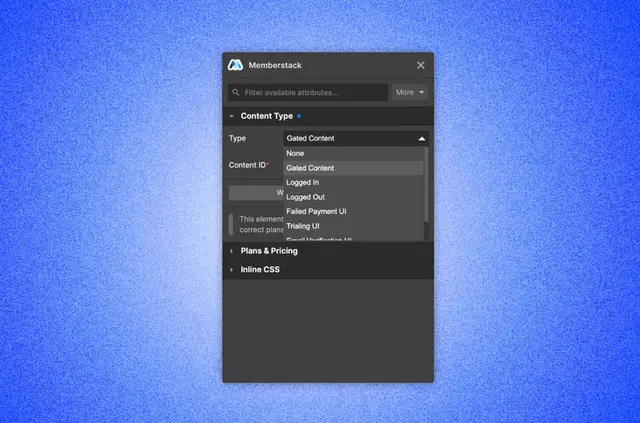
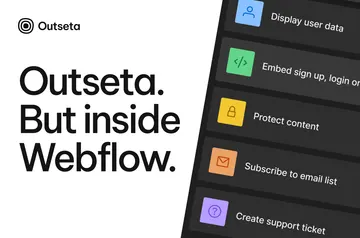
Webflow builders use Memberstack to add accounts, paid plans and gated content to their projects. In the Designer, they select an element and a feature; Memberstack applies the matching data attributes.
It supports teams creating membership sites, subscription services and custom SaaS products. Memberstack is free until a project is ready to go live, and is listed as paid.
What's included
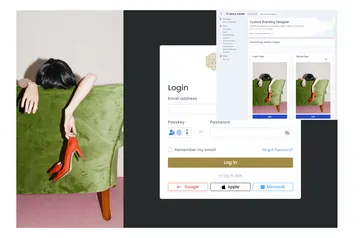
- Authentication can use email and password, social providers, OpenID Connect or single sign-on.
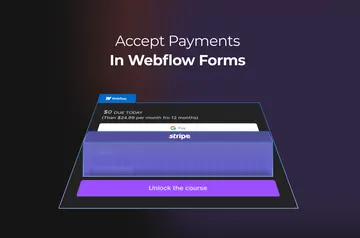
- Stripe supports checkout, billing, trials, coupons and payments in more than 135 currencies.
- Teams can export member JSON, metadata and plan information from the dashboard.
- Webhooks, Zapier and Make connect Memberstack with tools such as Rewardful, Intercom and Heap.
- Developer resources include staging domains, automated and manual testing, an Admin API, 500+ free membership UI components, dozens of scripts and close to 100 templates.
Who gets the most out of it
Memberstack suits teams building sites with member accounts, restricted content or recurring subscriptions, as well as developers creating SaaS products with custom requirements. Authentication choices cover different sign-in setups, while Stripe handles payment flows and billing features. Data exports and connections to other tools can support teams working with member records and related services.
Memberstack in practice
In a Webflow project, a builder selects an element and a Memberstack feature in Webflow, then the app adds the corresponding data attributes. Those attributes let the project use membership and SaaS functionality, such as gated pages or account features.
Memberstack also supports React, and its DOM package can be used to add it to browser-based projects. For development, teams can use staging domains and testing tools, then work with the Admin API.
Memberstack FAQ
Does Memberstack run inside the Webflow Designer?
It works with Webflow elements in the Designer: select an element and a feature, and Memberstack applies the related data attributes.
How do I add Memberstack to a Webflow site?
In Webflow, choose an element and select the Memberstack feature you want to use. Memberstack adds the matching data attributes to that element.
Can Memberstack handle payments in different currencies?
Its Stripe integration supports payments in more than 135 currencies, along with checkout, billing, free trials and coupons.
Can I export member information from Memberstack?
Yes. The dashboard can export member data, including JSON data, metadata and plan data.