Revolutionize Form Design with Formester Webflow App
Add forms, quizzes, and surveys to your Webflow site to collect responses and engage visitors.
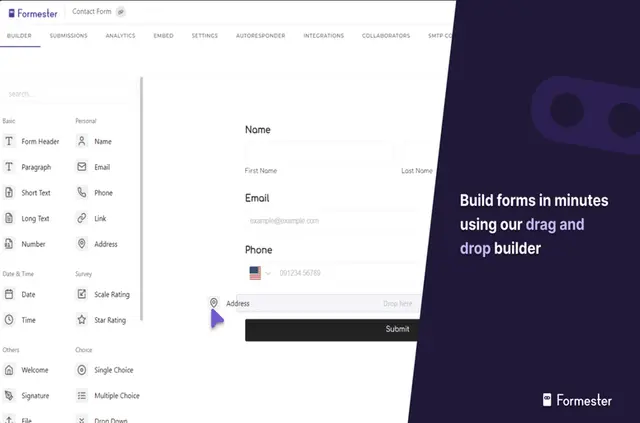
You create forms in Formester, then publish them as embeds on your Webflow site. To get started, install the app and sign in to Formester; no coding or developer resources are needed to embed an interactive form.
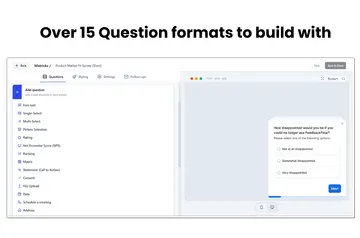
Choose a template or begin with a blank form. Set questions to appear together or show them one at a time, then customize the design before publishing to collect responses.
Who gets the most out of it
Formester suits Webflow projects that need to gather information or guide visitors through a set of questions. It can support teams collecting leads, suggesting products, or building contact lists, with forms, quizzes, and surveys serving different ways to engage site visitors.
The main tools
Build and manage the form in Formester, then embed it on a Webflow webpage. You can adjust its presentation and connect response notifications or other software as needed.
- Choose between displaying multiple questions together and presenting questions one by one.
- Customize the form with logos, colors, themes, fonts, backgrounds, images, and videos.
- Use embeds that adapt to different devices and screen sizes.
- Changes you make in Formester sync automatically to the embedded form on your Webflow page.
- Connect Formester with other software through Zapier, and set up real-time team notifications about responses.
Quick answers about Formester
Where do I create and publish a form?
Create or customize it in Formester, then publish it as an embed on a Webflow webpage.
Can I make a quiz or survey as well as a form?
Yes. Formester provides forms, quizzes, and surveys for gathering responses and engaging visitors.
Can I control how visitors move through the questions?
Yes. You can show multiple questions together or display one question at a time.
Can Formester send responses to other software?
Zapier connects Formester with other software, and the platform can notify teams about responses in real time.
What plan options are available?
Formester has a free option as well as paid plans.
Is Formester yours? Add the badge
Show visitors that Formester is featured on FlowFav. Pick a style; the badge is a small image that links to this page and loads no script.
<a href="https://www.flowfav.com/app/formester-revolutionize-form-design-with-webflow-app"><img src="https://www.flowfav.com/badge/featured-card-light.svg" alt="Featured on FlowFav" width="146" height="54"></a>