Collect Website Feedback with FeedbackFlow Webflow App
Add surveys and feedback widgets to Webflow pages with a script, then review responses and analytics in a dashboard.
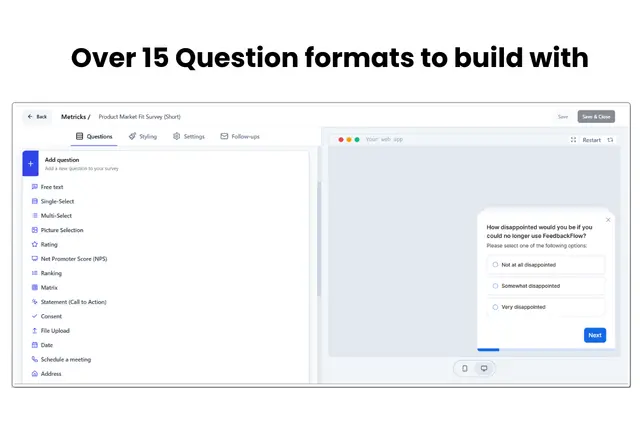
Teams gathering feedback on content, product experiences, conversions or user sentiment can use FeedbackFlow to add surveys and widgets to Webflow sites.
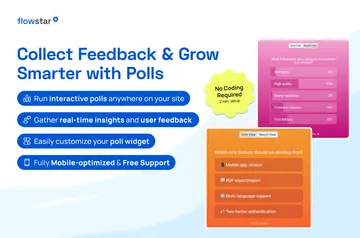
Surveys can ask about NPS, CSAT, product launches, landing pages and user flows.
When it's a good fit
It suits projects that need feedback at relevant points in a site experience. Display rules can use actions, page views, time on site and other interactions to determine when surveys appear.
Branding controls, placement choices and dark mode let teams style surveys for their sites. FeedbackFlow supports multiple languages and shows people the appropriate language.
How setup works
Setup starts by adding one script to a Webflow project. The app adds surveys to pages through that script, without requiring code changes.
Once surveys are in use, a dashboard presents responses and analytics in real time. FeedbackFlow is listed with a free option and paid plans.
FeedbackFlow FAQ
Do I need to code to use FeedbackFlow?
No code changes are required. Setup involves adding one script to a Webflow project.
What can FeedbackFlow access in my Webflow account?
It can edit pages, custom code and sites. It can also read site members and your user profile.
What can I use FeedbackFlow surveys to ask about?
Surveys can collect NPS, CSAT, and feedback on product launches, landing pages and user flows.
Can surveys appear in different languages?
Yes. FeedbackFlow supports multiple languages and displays the appropriate language to users.