Collect Visitor Feedback Using Polls with Flowstar Webflow App
Flowstar places interactive polls and surveys on Webflow pages to collect visitor feedback and opinions.
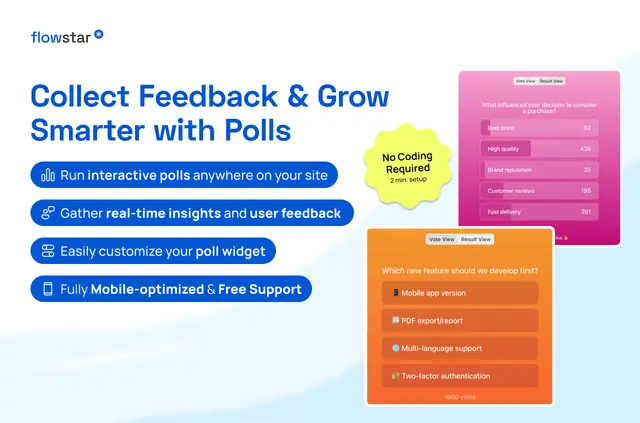
Visitors can share opinions while browsing, checking out, or after a purchase. Site owners can review responses in real time and use them to shape offers, messaging, and product recommendations.
Polls can appear on homepages, product pages, blogs, and other pages. The app is suited to site owners gathering input from shoppers, readers, or subscribers.
Where it fits
Flowstar suits Webflow projects that need feedback from the people visiting their sites, including stores seeking shopper input and publishers asking readers or subscribers for opinions.
Teams can place a poll at different stages of the visitor journey, from browsing through checkout and post-purchase, to learn what people think.
Features worth knowing
Polls can be created and presented with these options:
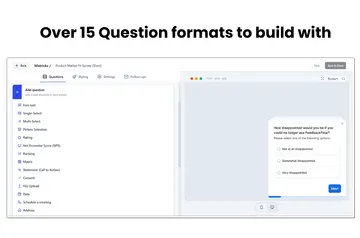
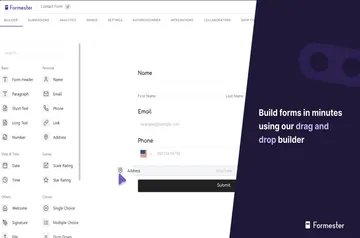
- Start with a template or use the drag-and-drop editor to make a poll without code.
- Use the visual editor to adjust poll styling to match a brand.
- Display polls on mobile screens and other device sizes.
- Review responses through real-time reporting.
Getting started in Webflow
Install Flowstar to add it to a Webflow project. Create a poll with a template or the drag-and-drop editor, then use the visual editor to customize its appearance.
Add the poll to a homepage, product page, blog, or another site page. Use it during browsing, checkout, or after purchase to collect input.
Questions about Flowstar
Can non-developers use Flowstar?
Yes. Polls can be made without code using templates or a drag-and-drop editor.
How much does Flowstar cost?
Flowstar is listed as paid.
Can Flowstar work with my CMS items?
Flowstar can be used on site pages, including blogs. Its Webflow access includes permission to read CMS content.
Can polls match a site's branding?
Yes. The visual editor lets site owners customize polls to match their brand.
Can visitors respond on mobile devices?
Yes. Polls adapt to mobile screens and other device sizes.