Automate Sharing with Postblaster: The Essential Webflow App for Seamless Social Media Integration
For Webflow teams sharing CMS updates on social media, Postblaster creates and publishes posts.
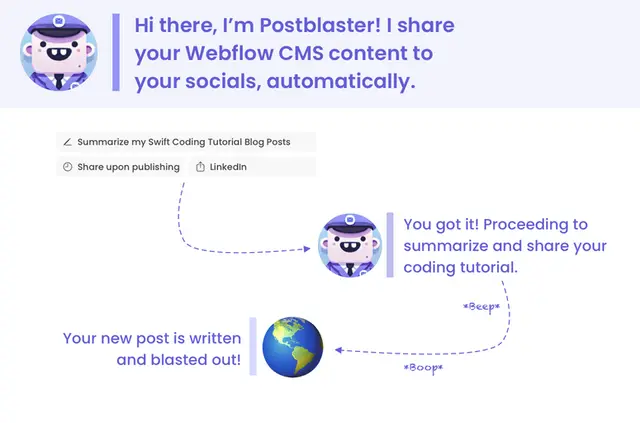
If you publish articles in Webflow CMS, Postblaster can turn new content into social posts. It publishes through a deployed pipeline when you add CMS content.
You can have AI write post text or fill it from chosen CMS fields. LinkedIn is the first supported social platform mentioned.
From install to first use
Install Postblaster, connect a social platform, select the CMS field holding article content, and configure how posts are created. The setup inputs are your social connection, content field, and post-writing preferences; the publisher setup takes about one minute.
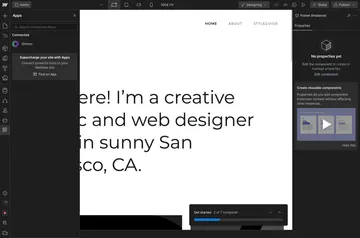
Deploy the pipeline to publish posts when new content enters Webflow CMS. You can also access Postblaster from the Webflow canvas.
What you can do with it
Choose how often posts go out and where they are shared. Set writing preferences, use AI or selected CMS fields for post text, and add hashtags to AI-generated posts.
Postblaster tracks post clickthroughs to show which posts bring visitors to your site. Spaceboat makes the app; its plans include a free option as well as paid plans.
Postblaster FAQ
Can non-developers use Postblaster?
You can connect a social platform, select a CMS field, and configure how posts are created. You can also use Postblaster from the Webflow canvas.
What can Postblaster access in my Webflow account?
It can edit CMS, assets, and sites, and read site members and your user profile.
Can I set how often Postblaster shares posts?
Yes. You can choose a sharing frequency, destinations, and post-writing preferences.
Can Postblaster add hashtags to posts?
Yes. It can add hashtags to social posts generated with AI.