Cloneables · Categories

Webflow Image Cloneables

Explore a variety of image based Webflow Cloneables. Easily copy and implement these pre-designed elements into your Webflow projects for enhanced functionality and design.

16 cloneables

Before After Image Comparison Slider
Before After Image Comparison Slider Enhance your website with the Before After Image Slider Webflow cloneable. Easily showcase image comparisons for products or services with this interactive slider. Customize and engage users with dynamic before-and-after visuals. An essential tool for every Webflow user.
Clone
Dynamic CMS Multi Image Slider
Dynamic CMS Multi Image Slider Enhance your website with a Dynamic CMS Multi Image Slider Webflow cloneable. Easily manage and update images in a customizable slider for a visually appealing site. Created by Eli Shmerler, this versatile tool offers category filtering and customizable links.
Clone
Magnetic Interactions Images Hover
Magnetic Interactions Images Hover Enhance your Webflow links with Magnetic Images Hover Webflow cloneable. Add dynamic images that stick to the cursor on hover, overlaying text for a visually appealing effect. No custom code needed. Optimize your Webflow projects with this interactive feature.
Clone
Smooth Scrolling Effects
Smooth Scrolling Effects Elevate your website with smooth scrolling effects using this Webflow cloneable. Enhance user experience and design aesthetics effortlessly. Streamline your design process and create visually engaging elements with ease.
Clone
Scroll Title Image Interaction Animation
Scroll Title Image Interaction Animation Enhance your website with the Scroll Title Image Animation Webflow cloneable. Featuring visually striking scrolling interactions without code. Perfect for adding dynamism and engaging visitors. Created by Tambien, it's ideal for anyone looking to add a dynamic and captivating scroll animated section.
Clone
GSAP CMS Scroll Animation
GSAP CMS Scroll Animation Discover the power of scroll-triggered animation with this Webflow cloneable. Enhance user engagement with captivating GSAP effects like scaling and rotation. Perfect for seamless transitions and responsive design. Leverage Webflow CMS for dynamic customization.
Clone
Accordion with Rich Text + Images
Accordion with Rich Text + Images Enhance content presentation with the Accordion with Rich Text + Images Webflow cloneable. Create expandable sections with custom fonts, animations, and intuitive user experience. Elevate your design and engage visitors seamlessly with this versatile and functional tool.
Clone
CMS Infinite Draggable Image Grid
CMS Infinite Draggable Image Grid Explore Timothy Ricks' Infinite Scrollable Draggable Grid Webflow cloneable. Showcase portfolios with a dynamic 3D effect. Draggable images endlessly in all directions for enhanced user engagement. Seamless CMS integration for easy content management.
Clone
Sticky Image Scroll Effect
Sticky Image Scroll Effect Enhance your site with the Sticky Image Scroll Effect Webflow cloneable. Create a dynamic split-screen design with a sticky project teaser image scroll animation. No custom code needed for a visually engaging experience. Implement this versatile tool effortlessly.
Clone
GSAP Mouse Image Trail Effect
GSAP Mouse Image Trail Effect Enhance your website with the Mouse Image Trail Effect Webflow cloneable. Created by Flux Academy, this interactive feature allows images to follow the cursor, boosting engagement and creativity. Elevate your design and create a memorable user experience.
Clone
Inline image integration
Inline image integration Discover a unique Inline image integration Webflow cloneable by Timothy Ricks. Elevate your content with seamless image-text integration for captivating storytelling. Responsive design and CSS features ensure a visually appealing and adaptable experience across devices. Empower your website with rich text layouts and enhance user engagement.
Clone
MacBook Scrollable Image Interaction
MacBook Scrollable Image Interaction Elevate your site's design with this MacBook frame scrollable image Webflow cloneable. Crafted for digital creatives to showcase visual content seamlessly across devices. Easy integration for a modern, interactive website experience.
Clone
P5.jsMouse Follow Trail Effect
P5.jsMouse Follow Trail Effect Transform your Webflow site with a Mouse Follow Trail Effect Webflow cloneable. Crafted by Web Bae, this innovative JavaScript feature creates captivating visual trails that respond to cursor movements, enhancing user engagement. Elevate your design with this dynamic and interactive element.
Clone
Relume Timeline Portfolio
Relume Timeline Portfolio Enhance your Webflow site with the Relume Timeline Portfolio cloneable. Showcase projects and milestones with a visually engaging timeline and Figma embeds. Elevate user engagement and streamline development with this pixel-perfect design solution.
Clone
Interactive Image on Hover Effects
Interactive Image on Hover Effects Elevate user experience with this Interactive Design Hover Effects Webflow cloneable by Timothy Ricks. Crafted around a sustainability theme, it offers creative hover effects using jQuery for dynamic interactions. Customize link colors seamlessly with CSS strategies for a visually harmonious design. Enhance usability with smooth navigation and engaging animations. Ideal for Webflow users seeking interactive design solutions.
Clone
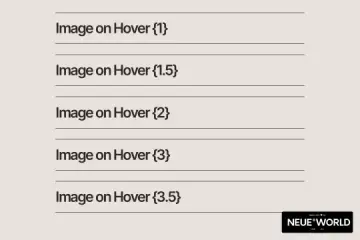
Image on Text Hover
Image on Text Hover Enhance your website visuals with captivating image hover effects Webflow cloneable by Neue World. Transform standard images into dynamic elements effortlessly. Elevate user engagement and site aesthetics with five unique variations. Perfect for portfolios, e-commerce, and landing pages. No additional JavaScript required for seamless integration. Gain a modern look and enriched user experience with this valuable design toolkit.
Clone

Questions about Image cloneables

How can you use images in Webflow?

Webflow allows you to add images using the Image element, Background images, or inside Collection Lists for dynamic content. You can upload images to the Asset Manager or use external URLs. Optimize images using Webflow’s responsive settings, including HiDPI (retina) support and lazy loading for performance. Use SVGs for scalable graphics and WebP for efficient compression. You can also apply CSS filters, blend modes, and hover effects directly within the Designer. For dynamic content, connect images to CMS fields. Looking for Webflow cloneables with image-rich layouts? Explore community-built templates with galleries, sliders, and interactive image effects.

What are some effective ways to use images in Webflow designs?

Effective image use in Webflow enhances aesthetics and user experience. Use high-quality, optimized images to maintain performance. Leverage Webflow's Responsive Images feature to ensure fast loading across devices. Use background images for decorative elements and inline images for essential content. Implement lazy loading to improve site speed. Utilize CMS Collection Images for dynamic content. Apply hover effects and interactions to create engaging visuals. Use WebP format for better compression and quality. Adjust object-fit and cover settings to ensure proper scaling. By combining these techniques, images can enhance both functionality and design in Webflow projects.

What are the best Webflow image cloneables for enhancing visual presentations?

Best Webflow Image Cloneables for Enhancing Visual Presentations

For improving visual presentations in Webflow, the following cloneables offer dynamic and interactive image display solutions:

  1. Before After Image Comparison Slider

   View Cloneable

   This cloneable enables an interactive comparison slider, making it ideal for showcasing before-and-after transformations, product enhancements, or design revisions.

  1. CMS Infinite Scrollable Draggable Image Grid

   View Cloneable

   This cloneable creates a visually engaging, scrollable, and draggable image grid powered by Webflow CMS. It’s perfect for image portfolios, galleries, and dynamic content displays.

  1. Dynamic CMS Multi Image Slider

   View Cloneable

   This cloneable allows users to build a CMS-powered multi-image slider, making it an excellent solution for showcasing product images, portfolios, or featured content in a sleek and automated manner.

Each of these cloneables enhances visual storytelling and user engagement, making them valuable tools for presenting images dynamically in Webflow projects.