Custom Code Webflow Cloneables
Explore a variety of Custom Code Webflow Cloneables for your website. Easily implement unique design features with these code snippets on your Webflow site.























How can you add custom code in Webflow?
In Webflow, you can add custom code in two main ways:
- Page-Level Custom Code – Go to Page Settings, then add your code in the Before </head> or Before </body> sections for scripts that should apply only to that page.
- Site-Wide Custom Code – Navigate to Site Settings > Custom Code, where you can insert code in the Head or Footer areas to apply globally.
For inline custom code, use the Embed element in the Webflow Designer to insert HTML, CSS, or JavaScript directly within your page.
Explore Webflow cloneables with custom code examples for implementation ideas!
What are the best practices for using custom code in Webflow to enhance functionality and design?
Using custom code in Webflow can enhance design and functionality. Best practices include placing CSS in the <head> section for styling and JavaScript in the <body> or before </body> for performance. Use Webflow’s built-in Embed element for inline scripts or third-party integrations. Keep code organized, minified, and tested to avoid conflicts. Utilize Webflow’s attributes and classes for targeting elements dynamically. When using third-party libraries, ensure compatibility with Webflow’s structure. Regularly update and document custom code to maintain functionality. Always test custom scripts in Webflow’s preview mode and multiple devices to ensure seamless integration with your site’s design.
What are the best Webflow cloneables that incorporate custom code for advanced functionality?
Best Webflow Cloneables Incorporating Custom Code for Improved Functionality
For those looking to enhance their Webflow projects with advanced functionality through custom code, the following cloneables offer powerful solutions:
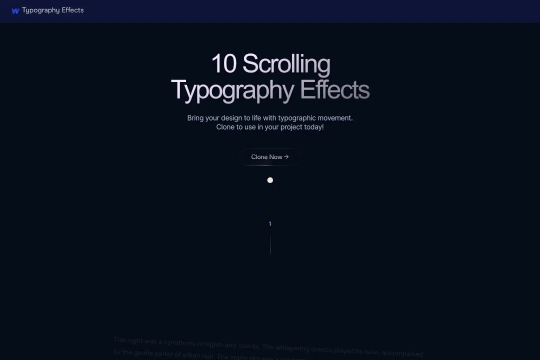
1. On-Scroll Typography Animations
This cloneable integrates GSAP (GreenSock Animation Platform) to create smooth, engaging on-scroll typography animations. Ideal for designers and developers aiming to elevate their website’s interactivity and storytelling through motion.
2. Draggable CMS Sliders (Dragdealer.js)
Powered by Dragdealer.js, this cloneable enables drag-based CMS sliders, allowing users to intuitively navigate dynamic content. Perfect for portfolio showcases, product carousels, and feature highlights that demand a more interactive user experience.
3. Draggable Swiper.js Slider for Dynamic Content
Built with Swiper.js, this slider enhances dynamic website content by offering smooth, customizable dragging effects. It is particularly useful for creating modern, touch-friendly sliders that work seamlessly across desktop and mobile devices.
These Webflow cloneables incorporate advanced custom code to provide greater flexibility and interactivity. Whether you're looking for scroll-triggered typography effects, draggable CMS sliders, or touch-friendly dynamic content sliders, these cloneables offer robust solutions for enhancing your Webflow projects.