Efficient Multilingual Capabilities with Crowdin Webflow App
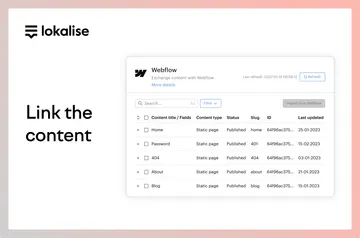
Localize Webflow sites and Collections by sending content to Crowdin for translation and syncing the results.
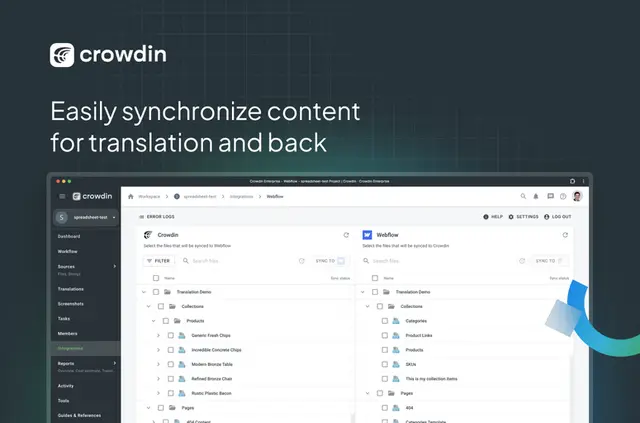
Webflow developers and marketers use Crowdin to manage multilingual website content. It connects with Webflow to transfer site content for localization.
A single request sends Webflow content to Crowdin. Teams can choose translation sources and decide whether to synchronize content and translations manually or automatically.
How setup works
Connect Crowdin with Webflow, then send site content to Crowdin with a request. Choose manual synchronization or set up automatic synchronization for content and translations.
What's included
- Translators can view files in a WYSIWYG editor to understand their context.
- Translation options include professional providers, multilingual colleagues, AI, or a mix of these sources.
- Quality checks, glossaries, and translation memories help keep translations consistent.
- Crowdin supports updating translations when the source changes, even after small edits.
Access and pricing
Crowdin is listed with a free option and paid plans. Its Webflow permissions allow editing CMS, pages, assets, components, and sites, and reading site members and the user profile.
Quick answers about Crowdin
Does Crowdin suit client projects?
Crowdin is intended for developers and marketers who manage multilingual website content, a role that can include work on client projects.
Can Crowdin work with my CMS items?
Yes. Crowdin supports localization for Webflow Collections, and its requested permissions include editing CMS content.
Can translations be updated after a source edit?
Yes. Crowdin supports translation updates when source content changes, including small edits.
Can a site be translated into multiple languages?
Yes. Crowdin helps localize Webflow sites and Collections into multiple languages.