Localize Multilingual Website Content with GlobalLink Webflow App
For organizations building Webflow sites for global markets, GlobalLink manages multilingual content and localization workflows.
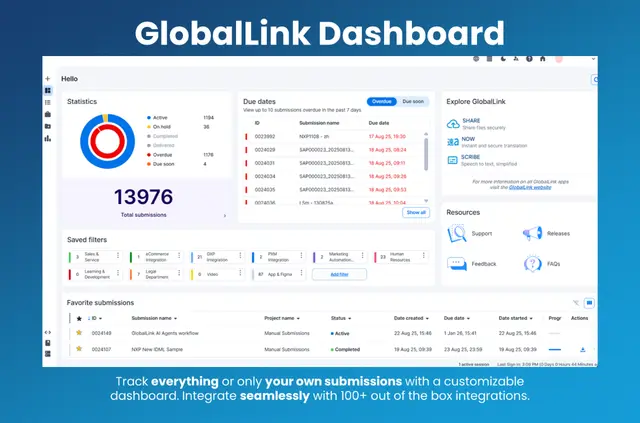
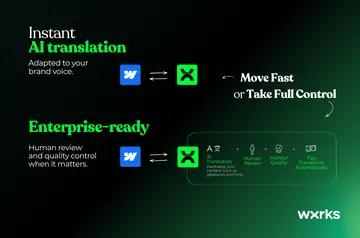
Without GlobalLink, moving multilingual site content can mean manual file handling and extra tools. After you install it, enterprise systems, AI models, and human expertise come together in one layer for managing that work.
You can move content between languages while supporting quality across different markets.
GlobalLink in practice
In a Webflow project, GlobalLink supports localization work involving CMS content, pages, assets, and ecommerce. It is designed for organizations handling multilingual content across global markets.
What's included
- Use more than 100 pre-built integrations to connect enterprise systems and reduce manual file handling.
- Add AI agents to localization workflows.
- Automate localization processes to cut manual work.
- Manage multilingual content with AI models and human expertise.
What it asks for
GlobalLink is a paid app. Its Webflow permissions allow it to edit CMS, pages, assets, ecommerce, components, and sites, while reading your user profile.
These permissions cover the listed Webflow areas and profile access.
Quick answers about GlobalLink
Can agencies use GlobalLink on client sites?
GlobalLink is suited to organizations managing multilingual content across global markets.
Can I use GlobalLink on an Ecommerce site?
GlobalLink requests permission to edit ecommerce and supports moving content across languages while maintaining quality in different markets.
How many languages does TransPerfect offer services in?
TransPerfect offers language services in more than 200 languages.
How does GlobalLink connect with enterprise systems?
It provides more than 100 pre-built integrations to connect with enterprise systems and reduce manual file handling.
Can localization work be automated?
Yes. GlobalLink automates localization processes to reduce manual work.