Translate CMS Content into Locale Variants with wxrks Webflow App
Webflow teams use wxrks to translate CMS content, pages and components into site locales.
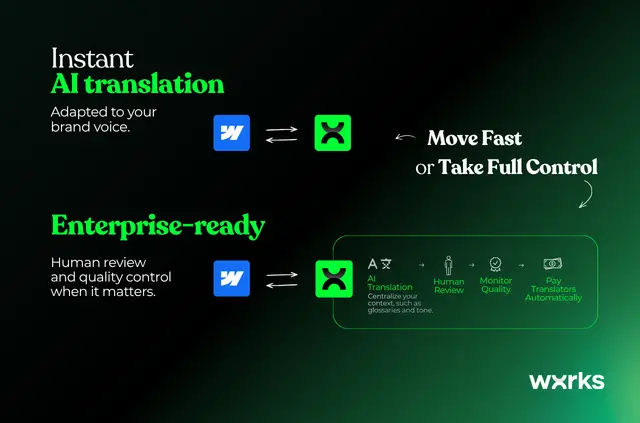
When you manage a multilingual Webflow site, wxrks helps you send selected content for translation and return the finished text to your locale versions. You can choose what to translate and which languages to target, or set rules to handle qualifying updates automatically.
The connector works with Webflow Localization and sends translations to locales enabled on your site. To get started, you need a wxrks account, Webflow Localization and at least one secondary locale. Existing CMS items need language versions created in Webflow before their translations can be delivered.
Pricing and permissions
wxrks is listed with a free option and paid plans. When installed, it can edit CMS, pages, forms, components, comments and sites, and read assets and your user profile.
What you can do with it
Send CMS items, static pages and components to be translated, then receive the completed text in Webflow locale variants. For example, you can select content and target languages yourself, or apply rules to automate translation of updates that meet your conditions.
Translations affect text only; layouts, styles, links and images stay as they are. Localized slugs are converted to Latin characters for scripts such as Chinese, Japanese, Korean, Arabic, Hebrew, Greek and Cyrillic.
Features worth knowing
- Set glossaries, tone, style, audience and protected terms in brand settings to guide translation and preserve specified wording.
- Automations combine CMS webhooks with scheduled checks for pages and components, rule conditions and periodic reconciliation.
- Add reviewers, require approval before publishing and pay translators through wxrks.
Questions about wxrks
How do I add wxrks to a Webflow site?
Sign in with Webflow, authorize a site and link your wxrks account. You also need Webflow Localization and at least one secondary locale.
Do I need to create language versions for existing CMS items?
Yes. Create the language versions for existing CMS items in Webflow before wxrks can deliver their translations.
What happens to my page design when content is translated?
Only text is translated. Layouts, styles, links and images remain unchanged.