About cloneable
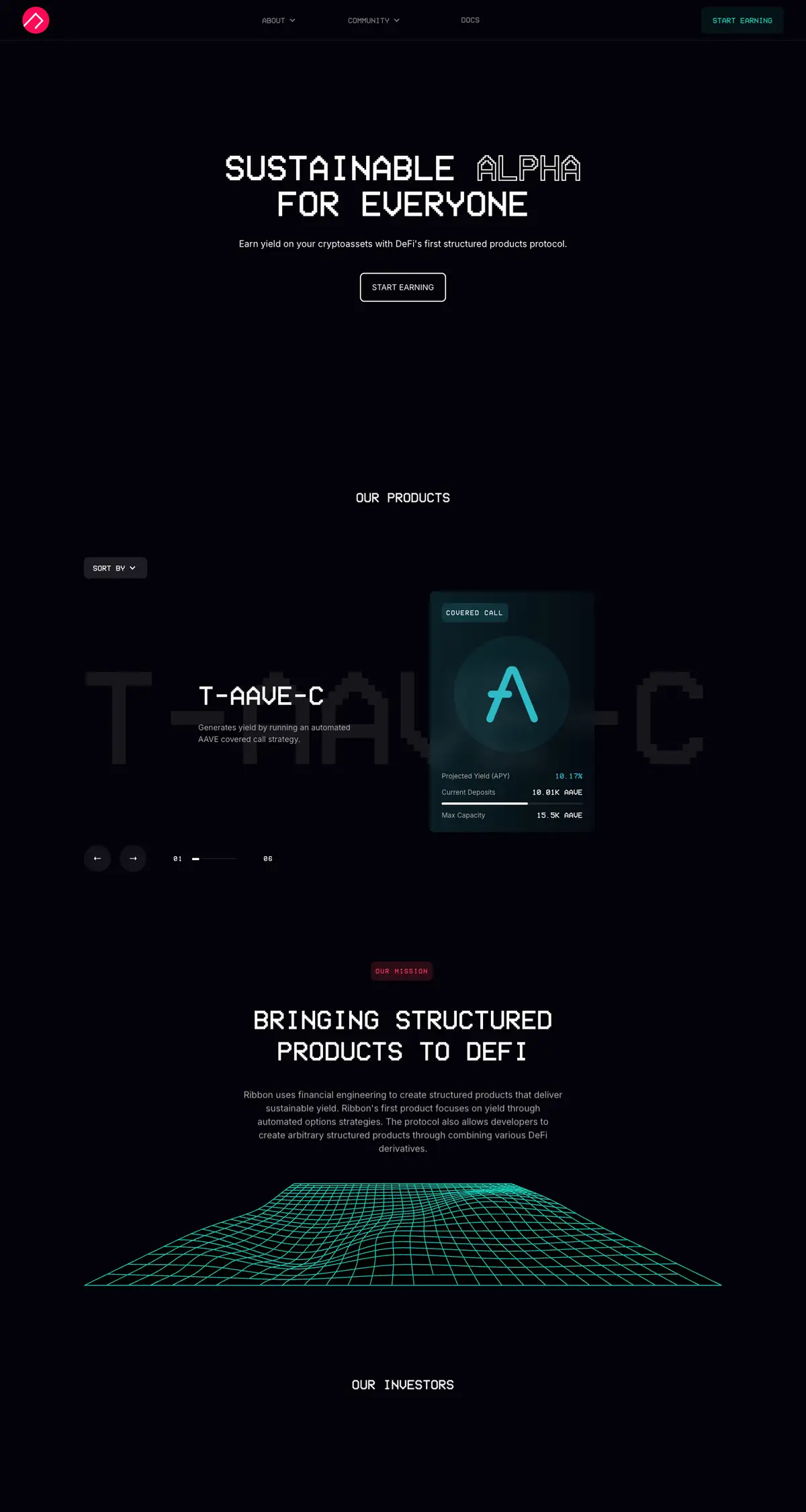
This Webflow cloneable, crafted by Dhruv Sachdev, is a sophisticated template inspired by the Ribbon Finance website, designed to facilitate the earning of yield on cryptoassets through structured products. Users will benefit from a clean, user-friendly interface that showcases various DeFi investment options, such as the automated AAVE covered call strategy, designated T-AAVE-C.
The cloneable amplifies a Webflow user's ability to communicate their offerings clearly, displaying key metrics like projected yield (APY), current deposits, and max capacity for each product. This not only enhances user engagement but also promotes transparency, allowing potential investors to make informed decisions about their investments. The structure effectively categorizes information with sections including About, Community, Docs, and FAQs, ensuring all necessary user inquiries can be addressed effortlessly.
Incorporating this cloneable into a Webflow project equips users with advanced CSS styling techniques, offering not just a visually appealing layout but also dynamic functionalities such as smooth scrolling animations and responsive design optimized for various devices. Furthermore, the inclusion of integrated JavaScript enhances interactivity, including slider navigations that provide clear indicators of users' positions within slides.
Overall, implementing this cloneable elevates a Webflow user's website by creating an engaging, intuitive platform for crypto investments, further empowering users to attract and retain clientele in the evolving DeFi space.
About CSS
What are the key features of the CSS code used in Webflow?
The CSS code features several important elements for styling text, managing pointer events, and handling animated elements. It defines a basic font family and line height for html and body elements, ensuring a clean and readable text appearance. Classes such as .pointer-events-none and .pointer-events-auto allow developers to manage pointer events for specific elements, important in maintaining user experience despite z-index issues. The code includes classes like .outline-text to create outlined text effects. Additionally, there are style rules for .panel elements to provide different backgrounds and box shadows based on their state.
How does the CSS manage pointer events in Webflow?
In the CSS code, the classes .pointer-events-none and .pointer-events-auto are tailored to control how elements respond to pointer events. The pointer-events: none property effectively makes an element non-interactive, allowing mouse events to pass through it, while pointer-events: auto restores the default interaction behavior. This is particularly valuable in Webflow projects where elements may overlap, and developers want to ensure that certain elements remain accessible to user interactions regardless of their z-index positioning.
What is the purpose of the scrolling animation defined in the CSS for Webflow?
The scrolling animation is handled by the .scroll-left class, which positions the element absolutely and applies a continuous scrolling effect through the use of keyframes. The animation defined under @keyframes scroll-left moves the element horizontally from its original position to a point 50% to the left over a duration of 30 seconds, creating an infinite loop. This effect can be utilized in Webflow for showcasing content like testimonials or news banners that need to scroll across the screen smoothly.
What external libraries or resources can enhance the use of this CSS code in Webflow projects?
While this specific CSS code does not reference any external libraries, developers may enhance their Webflow projects by integrating libraries like jQuery or GSAP (GreenSock Animation Platform) for more advanced animations and interactivity. By combining custom CSS with these libraries, developers can create richer user experiences. Additionally, integrating Google Fonts or FontAwesome can enhance typography and iconography, respectively, further improving the visual appeal of Webflow projects.
About Javascript
How does the Webflow integration enhance user interaction in this JavaScript code?
The JavaScript code effectively integrates with Webflow to enhance user interaction by implementing a slider functionality that responds to user clicks on arrow buttons. By using Webflow’s built-in classes (w-slide, w-slider-arrow-left, and w-slider-arrow-right), the code allows for seamless navigation between different slides. Additionally, it updates a progress bar within the slider based on the number of slides, providing users with a visual indication of their position within the slideshow.
How does the script manage slide transitions and progress bar updates?
The script manages slide transitions by adding event listeners to the left and right arrow buttons, calling corresponding functions slideLeft and slideRight. Each function calculates the number of slides to determine how the width of a progress bar should be updated when navigating through the slides. It ensures that the width never exceeds 100% or falls below 0% by wrapping around to the default width when necessary.
Can you explain the purpose and mechanism of the partyMode function in this code?
The partyMode function creates a dynamic visual effect by cycling through different panels on the screen. It adds the 'active' class to panels in sequence, giving the illusion of animation. This effect can be triggered after hovering over a specific button (hero-cta), and it automatically runs in intervals when invoked. This adds playful engagement to the user experience, making the webpage feel more interactive.
How does the code address responsiveness for smaller screens in Webflow?
The JavaScript code checks if the screen width is tablet-sized or smaller (max 768 pixels). If true, it activates the partyMode effect and adds an event listener to stop the effect when the user scrolls down. If the user scrolls back to the top, it reactivates the partyMode. This ensures that the visual effect is only present during specific conditions, optimizing the experience for users on smaller devices, which is particularly relevant for Webflow sites focusing on responsive design.
How does the script ensure the web page is fully loaded before executing its functions?
The script employs the DOMContentLoaded event listener, which waits for the initial HTML document to be completely loaded and parsed before executing any code within the callback function. This guarantees that all elements referenced by the script, such as buttons and panels, are available in the DOM, thus preventing errors related to accessing non-existent elements.