Forms in Webflow with the Typeform Webflow App
Use Typeform in Webflow to choose or create a form, quiz, or survey and embed it on a site page.
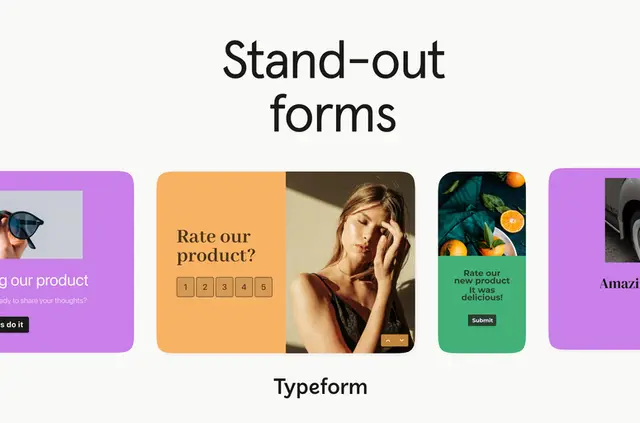
Teams use Typeform to collect leads, feedback, registrations, contact details, product preferences, and answers to common questions. Visitors respond to one question at a time through a conversational form interface.
The Webflow app connects to a Typeform workspace, where teams can select a form they have already created or make a new one to embed. Typeform AI can draft questions and recommend form features based on the insights a team wants to gather.
Things to keep in mind
The Webflow app supports the standard embed option. To use a different embed design, paste Typeform’s Webflow embed code as a URL. Typeform’s help center provides setup instructions.
What it handles
An embedded Typeform can collect responses on a Webflow page. For example, a team could use a form for event registration, a quiz to ask about product preferences, or a survey to gather feedback.
Typeform describes its forms as responsive on different devices and screen sizes. Teams can choose a free option or a paid plan.
Feature notes
- Select a form from the Typeform workspace or create one through the Webflow app.
- Use Typeform AI to draft questions and propose features suited to the information being collected.
- Present questions individually in a conversational interface.
- Use the standard embed option in the Webflow app, or paste embed code as a URL for another design.
Questions about Typeform
How do I add Typeform to a Webflow site?
Open the Typeform workspace through the Webflow app, then choose an existing form or create one to embed. Typeform’s help center has setup instructions.
Is Typeform free?
Typeform has a free option, along with paid plans.
Can I change the look of an embedded Typeform?
Yes. Customize a form using logos, colors, themes, fonts, backgrounds, images, or videos.
What tools can Typeform connect with?
Its 120+ integrations include CRM tools, Zapier, Make, Slack, Airtable, monday.com, Meta Pixel, Google Tag Manager, and Google Analytics.