Efficiently Manage Custom Attributes in Webflow with xAttribute App
Webflow teams use xAttribute to organize custom attributes and reuse the same setups across projects.
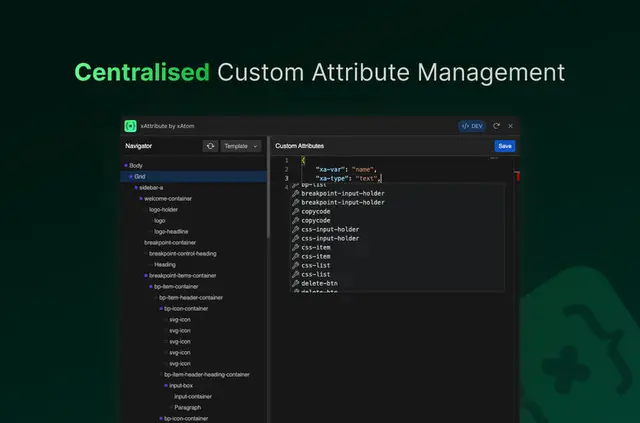
A Webflow site can keep custom attributes together in one view, with reusable sets ready to apply to elements. xAttribute suggests attribute names and values as users type, helping teams work with configurations they use repeatedly.
Templates let people save commonly used attribute sets, then apply them to elements. They can also export templates for sharing or backup and import them into other projects.
Before you install
xAttribute is listed as free, giving Webflow users access to its custom attribute management and template features without a listed charge.
Who it suits
The app suits Webflow users who repeat attribute configurations across projects. Site owners and teams managing several projects can save familiar sets as templates instead of rebuilding those configurations for each project.
It can also suit projects where attributes are applied to multiple elements. A saved template can be reused on elements, while exported templates provide a way to share or back up those sets.
Common questions
Who makes xAttribute?
xAtom makes the xAttribute app for managing custom attributes in Webflow.
Can I reuse attribute sets on Webflow elements?
Yes. Users can create templates from commonly used attribute sets and apply those templates to elements.
Can I move templates between projects?
Yes. Templates can be exported for sharing or backup and imported into other projects.
Does xAttribute offer autocomplete for accessibility attributes?
Autocomplete for accessibility attributes is described as coming soon.