Convert Components to Project Classes with CompSwap Webflow App
Convert third-party components to your project’s Webflow classes and tokens, then copy them into your site.
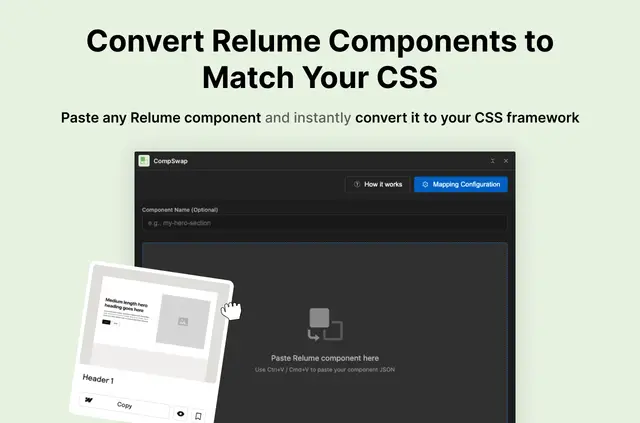
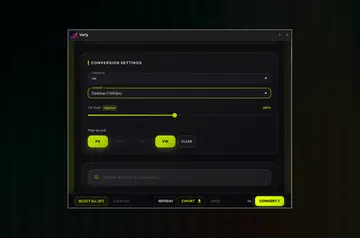
When you bring a third-party component into a Webflow project, its classes and variables may not match your existing style system. Paste it into CompSwap, convert it, then copy the result into Webflow.
The converter links source styles to your project-specific classes and tokens. It is made by Felix Gonzalo.
Limits to know
Custom mappings depend on you specifying which project classes and variables correspond to the source ones. You can also modify a template and save your configuration.
What it handles
Use the converter to align components from libraries such as Relume with your project’s styling. It can normalize styles, handle combo classes, and remove classes that are unused or repeated.
When it's a good fit
CompSwap suits Webflow builders who reuse third-party components in projects that already follow a defined style system. Teams can share mapping setups as CSV files.
CompSwap FAQ
Which mapping templates are available?
CompSwap includes templates for Client-First, MAST, FeatherWeight, and Saddle.
Does conversion preserve component interactions?
Yes. The component’s structure, elements, and interactions stay in place while its classes and variables are remapped.
Can I share mappings with my team?
You can export mappings to CSV for sharing, or import a CSV mapping file.
Can I save my own mapping setup?
Yes. Define custom correspondences between source styles and your project, adjust a template, and save the configuration.
Can it remove extra classes during conversion?
Yes. The converter can delete unused or duplicate classes and normalize styles.