Revolutionize Your Email Marketing Efforts with WMails Webflow App
Automate replies to Webflow form submissions and send targeted email campaigns with WMails.
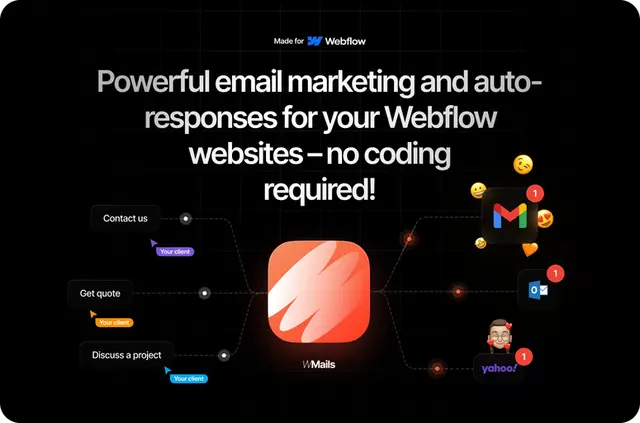
For your Webflow site, WMails handles form follow-up and email campaigns. Connect forms and set response rules and templates, with messages that can use details submitted by each person.
Digital Butlers makes WMails. The service offers a free option alongside paid plans for site owners who want to manage replies, contacts, and campaigns.
WMails in practice
When someone submits a connected Webflow form, WMails can send an automatic response. Include form details such as the recipient’s name or email address, and use rules and templates to shape each reply.
You can also start an email series after a chosen event, set the delay between messages, and view delivery statistics for those sequences. For campaigns, choose a contact group and send personalized messages.
Who gets the most out of it
WMails suits Webflow sites that collect information through forms and need to follow up with different audiences. A site with several forms can organize contacts by the form they used, the page they visited, or criteria you define, then target a campaign to a selected segment.
When installed, WMails requests permission to read CMS, pages, forms, sites, and your user profile.
Feature notes
The main tools cover email design, contact organization, campaigns, and automated follow-up.
- Create branded messages in the email editor and template library, using custom styles, colors, logos, and content.
- Personalize responses with information gathered in form fields, including a recipient’s name or email address.
- Group contacts and segment them by form submission, website page, or custom criteria.
- Send campaigns to selected contact groups or trigger a sequence of emails after an event, with adjustable delays.
- Track delivery statistics for automation sequences.
Questions about WMails
Can I connect more than one Webflow form?
Yes. You can connect one or more forms and configure rules and templates for their responses.
Can I match email designs to my brand?
Yes. The editor and template library support custom styles, colors, logos, and content.
How can I segment my contacts?
You can group contacts by form submission, website page, or criteria you set.
Can an automation send several emails over time?
Yes. Choose an event to start a sequence and adjust the delay between messages.
What information can I include in an automated response?
You can use data collected from form fields, such as the recipient’s name or email address.