Optimized Video Hosting with Vidzflow Webflow App
Add hosted video to your Webflow pages as embeds or backgrounds, then style the player and track engagement.
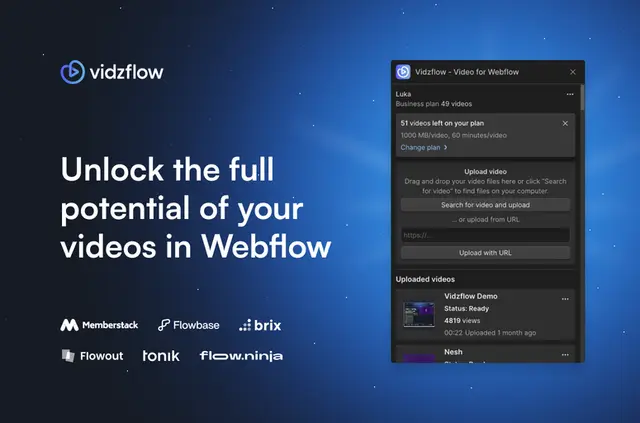
Without Vidzflow, adding hosted video may mean handling uploads and playback through extra tools or manual work. Once installed, you can upload videos and place them on Webflow pages as embeds or background elements without code.
The platform is for Webflow designers, agencies and marketers building sites that use video. You can style the player and review viewing activity from a dashboard.
When it's a good fit
Consider Vidzflow for a marketing site, client project or Webflow build where video needs to sit within the page design. Its player options and interactive elements can support sign-ups, lead collection, purchases or downloads.
Vidzflow in practice
Upload supported video files, then add a player to a page or use video as a background. Set colors, icons and layout, and choose whether playback autoplays, loops or starts muted.
You can add CTA buttons and forms to the player. The dashboard reports plays, completion rates, viewer drop-offs and CTA clicks.
What's included
- Accepts MP4, MOV, AVI, MKV, MPG and WebM, including uncompressed video and WebM transparency.
- Supports playback at resolutions up to 4K; the developer claims starts up to 10× faster and 8× fewer stalls and buffer events.
- Plays video without ads, logos or other external clutter.
- Offers player styling, autoplay, looping and muting options.
- Includes CTA buttons, forms and dashboard metrics for video engagement.
Questions about Vidzflow
Is Vidzflow free?
Vidzflow has a free option as well as paid plans.
Can Vidzflow work with my CMS items?
Vidzflow requests permission to edit CMS content in your Webflow account.
What can Vidzflow access in my Webflow account?
It can edit CMS, pages, custom code, assets, forms, site members and sites, and read your user profile.
Can I use transparent video?
Yes. Vidzflow supports WebM transparency, as well as uncompressed video.
Can I add a sign-up form to the video player?
Yes. The player supports forms for sign-ups, lead collection, purchases and downloads.