Efficient Metadata Management with Graphite: The Ultimate Webflow App
For Webflow site owners, Graphite audits SEO and AEO and helps manage metadata, crawling, structured data, and AI visibility.
Site owners can manage search settings, crawler rules, and structured data in a Webflow project, then review how their content appears in AI search.
Graphite also reports share of voice, competitor rankings, and answers from AI services.
Access and pricing
Graphite offers a free option alongside paid plans. Its Webflow permissions allow it to edit CMS content, pages, assets, and sites, and read the user profile.
What's included
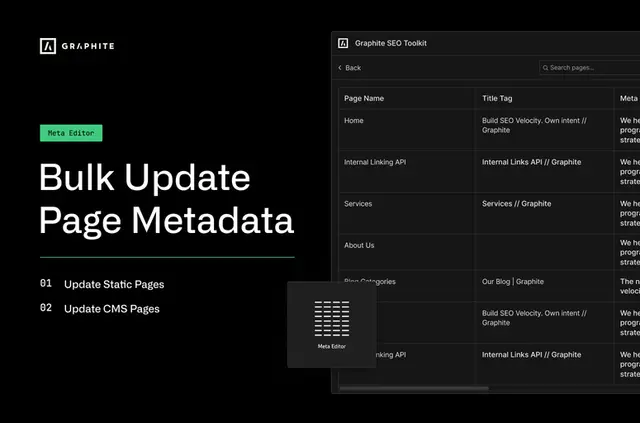
- Update titles, descriptions, OG images, and search settings across pages.
- Set robots.txt access for pages and folders and help expose the sitemap.
- Generate schema markup for static or CMS pages using a chosen type and form.
- Set whether LLMs can train on or index content, or have full access.
- Review share of voice, competitor rankings, and AI responses from ChatGPT, Perplexity, AI Overview, Claude, and Gemini.
Graphite in practice
In a Webflow project, site owners can adjust metadata and crawler rules, then generate schema for a static or CMS page. Generated markup needs to be copied into the project before publishing the site.
Graphite’s access controls set LLM permissions. AI Tracker reports visibility and competitor rankings, with raw answers from the services it covers.
Quick answers about Graphite
Can Graphite update metadata on multiple Webflow pages?
Yes. Its metadata editor can change settings across pages.
What happens after schema markup is generated?
Copy the markup into the project and publish the site.
Can robots.txt rules apply to folders as well as pages?
Yes. The builder controls crawler access to both pages and folders, and helps expose the sitemap.
What does AI Tracker report besides competitor rankings?
It reports share of voice and raw answers from ChatGPT, Perplexity, AI Overview, Claude, and Gemini.
Can site owners choose LLM access permissions?
Yes. They can allow training, indexing, or full access to content.