Optimize Webflow Workflows with Coda Sync - Webflow App
Enhance Webflow CMS with Coda integration for streamlined data management and collaboration.
About app
The Webflow Pack for Coda is a powerful tool designed to enhance the functionality of Webflow CMS by integrating it with Coda, an all-in-one collaborative workspace platform. This innovative app offers a range of features to streamline and improve the Webflow design and development process:
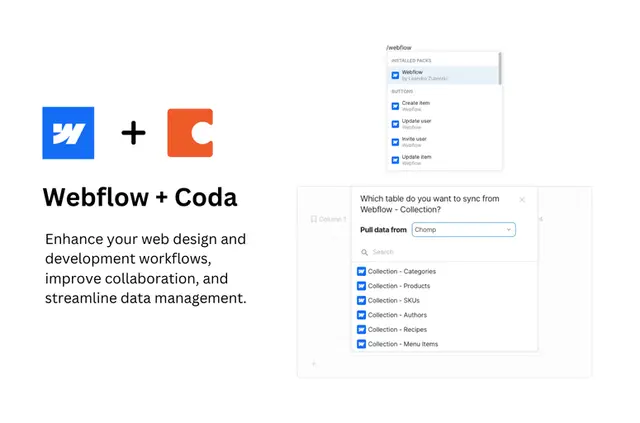
Sync Collections with Coda: You can synchronize your collection schemas and items with Coda, allowing for seamless data transfer and management between the two platforms.
Manage Collection Items: With actions in Coda, you can create, update, and delete collection items directly from the Coda workspace, providing more flexibility and control over your CMS data.
Track SKU Inventories: The app enables you to keep track of SKU inventories and update them through actions in Coda, ensuring accurate and up-to-date inventory management for your e-commerce site.
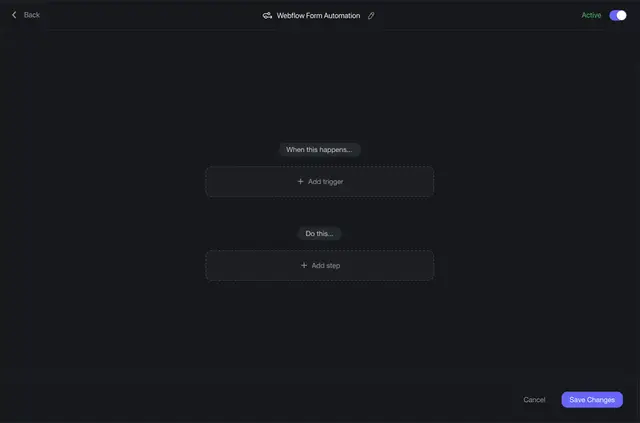
Sync Form Submissions: Easily sync form submissions to Coda as tables, making it easier to organize and analyze the data collected from your website forms.
User Management: Efficiently manage your site users within the Coda workspace, helping you streamline user-related tasks and workflows.
Key Benefits:
Enhanced Flexibility: By syncing Webflow with Coda, designers and developers can enjoy improved flexibility in managing CMS data and workflows.
Efficiency: The seamless integration between Webflow and Coda streamlines tasks such as data syncing, item management, and user tracking, saving time and effort.
Collaboration: Coda's collaborative features make it easy for teams to work together on Webflow projects, promoting better communication and productivity.
Centralized Workspace: With Coda serving as a central workspace for Webflow projects, users can access and manage different aspects of their websites in one place.
Real-World Use Cases:
E-commerce Site Management: Webflow designers and developers working on e-commerce sites can use the app to efficiently manage SKU inventories, sync product data, and track sales data in Coda.
Form Submission Analysis: For websites with extensive form submissions, the app simplifies the process of syncing form data to Coda for analysis and organization.
Team Collaboration: Design and development teams using Webflow can collaborate effectively by managing collections and user data in a shared Coda workspace.
Drawbacks:
May require a learning curve for users unfamiliar with Coda's interface and functionality.
Some advanced features might require additional customization or integration efforts.
Recommendation:
The Webflow Pack for Coda is a valuable tool for Webflow designers and developers looking to enhance their workflow efficiency, data management, and collaboration capabilities. It is particularly beneficial for teams working on e-commerce sites, form-heavy websites, or projects requiring seamless data synchronization between Webflow CMS and external platforms. Beginners and experienced users alike can benefit from this integration, provided they are willing to explore and leverage the powerful features offered by the app.