Streamline Webflow Projects with ViDesigns App for Formly & Flowplay
Webflow teams building stepped forms or video features can add Formly and Flowplay attributes in the Designer.
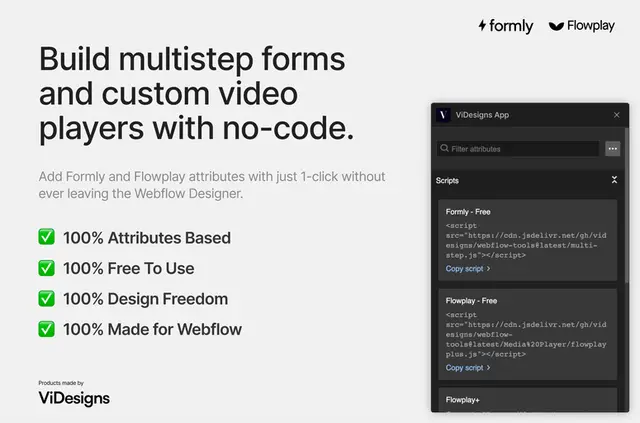
Formly & Flowplay gives Webflow site builders two attribute-based tools: one for breaking a form into stages and another for creating custom video players. Attributes can be added with one click in the Webflow Designer.
Where it fits
The app suits projects that need a multi-step form or a custom player for HTML, Vimeo, or YouTube video. Formly offers ways to navigate between form stages, show progress, advance with Enter, and validate inputs.
Flowplay provides playback controls, video tracks, speed selection, keyboard shortcuts, and volume adjustment.
Worth checking first
Formly relies on five attributes to turn a Webflow form into a multi-step experience. When installed, the app requests access to edit pages and forms.
Setting it up
Install the ViDesigns app, then add Formly or Flowplay attributes with one click in the Webflow Designer. Configure the tools through Webflow attributes without leaving the Designer to add them.
Questions about Formly & Flowplay
Can a site use Formly and Flowplay for different tasks?
Yes. Formly handles multi-step Webflow forms, while Flowplay creates custom video players.
Which video sources can Flowplay work with?
Flowplay works with HTML video, Vimeo, and YouTube.
What makes a Formly form multi-step?
Formly uses a set of five attributes to split a Webflow form into steps.
How can visitors move through a Formly form?
Formly provides custom navigation and can advance when a visitor presses Enter. It also supports progress indicators and input validation.
What can Flowplay controls manage?
Flowplay includes controls for playback, video tracks, playback speed, keyboard shortcuts, and volume.
Is Formly - Flowplay yours? Add the badge
Show visitors that Formly - Flowplay is featured on FlowFav. Pick a style; the badge is a small image that links to this page and loads no script.
<a href="https://www.flowfav.com/app/streamline-webflow-projects-with-videsigns-app-for-formly-and-flowplay-webflow-app"><img src="https://www.flowfav.com/badge/featured-card-light.svg" alt="Featured on FlowFav" width="146" height="54"></a>