About cloneable
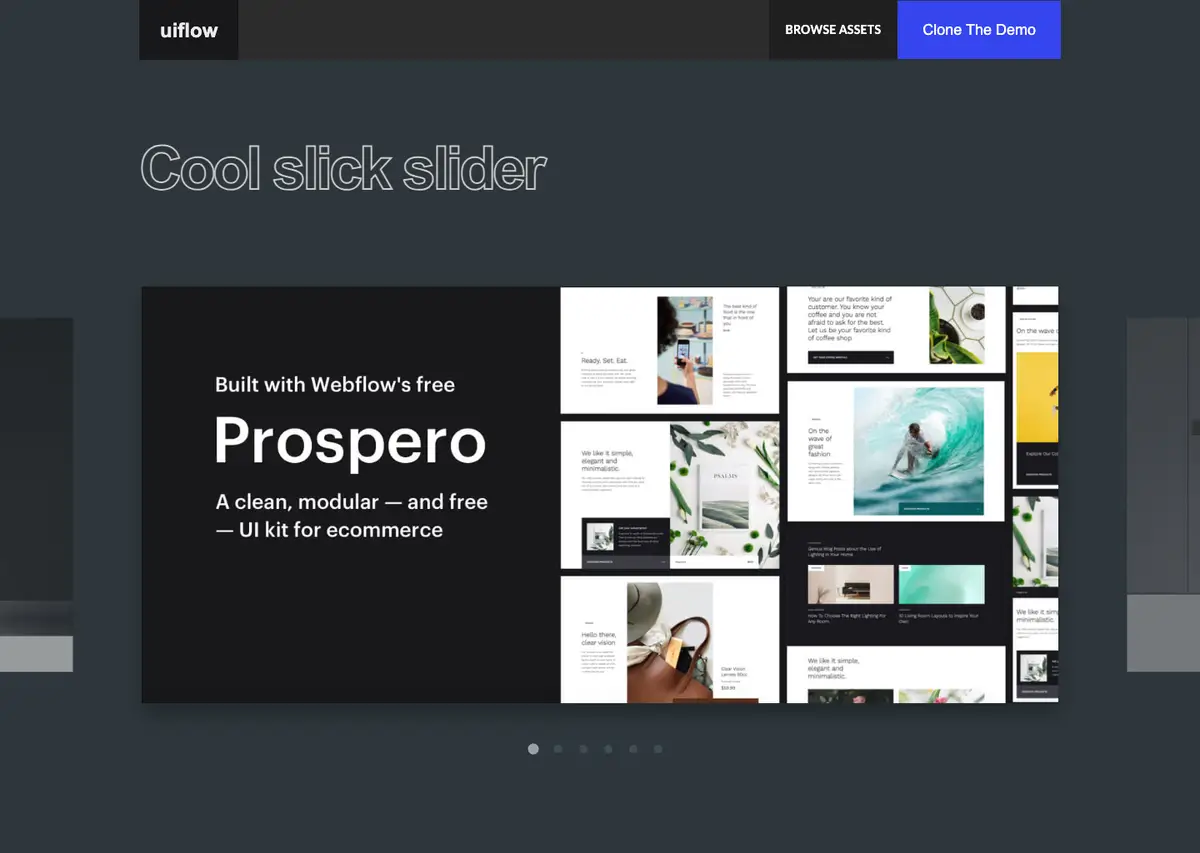
This Webflow cloneable, crafted by Tinyflow, showcases a dynamic and visually appealing implementation of the Slick Slider, designed to enhance user engagement on websites. Utilizing the powerful Slick.js library, this slider allows designers to create responsive, horizontal carousels for presenting images and content in an organized manner.
With features such as centered slides, infinite looping, and intuitive navigation dots, users can create a smooth browsing experience that highlights their most important visual content. The custom CSS included in this cloneable ensures that not only does the slider function well across various screen sizes, but it also looks polished. Class definitions like .slick-prev and .slick-next style the navigation buttons, contributing to an elegant and seamless transition between slides.
Additionally, the cloneable includes media queries for adaptive designs, ensuring an optimal viewing experience on any device. The integration of the WebFont library enhances font loading speeds, allowing for a customized touch without compromising website performance. With lazy loading for images, the overall efficiency of the site is improved, providing faster load times which are crucial for user retention.
By implementing this Slick Slider cloneable, Webflow users can enrich their websites with an interactive and visually striking element, improving user interaction and showcasing content prominently. The cloneable is a valuable asset for any designer aiming to create an engaging online presence.
About CSS
How do the .slick-prev and .slick-next classes enhance navigation in Webflow sliders?
The .slick-prev and .slick-next classes define styles for the navigation buttons of a slider, likely utilizing an external library like Slick Carousel. These classes set the button dimensions to 35px by 35px, remove borders, and apply a circular shape using a border-radius of 50px. The !important declaration ensures these styles override any other competing styles, which is useful in Webflow when maintaining design consistency.
What CSS effects are applied to .slick-slide elements in Webflow sliders?
The .slick-slide class applies an initial opacity of 0.5 and a scale transformation of 0.85 for non-active slides, creating a subtle visual effect that emphasizes the active slide. The transition properties modify these effects smoothly over 800ms, improving the user experience in Webflow by making the slider more engaging.
How does .slick-slide.slick-center differ from other slides in a Webflow slider?
The .slick-slide.slick-center class targets the currently active slide, changing its opacity to 1 and scaling it to its default size of 1 for prominence. It features a box shadow for emphasis and has a z-index of -100, potentially affecting stacking context. This provides a highly interactive feel in Webflow applications, ensuring users can easily identify the focal content.
What is the purpose of the .slick-dots class in a Webflow slider?
The .slick-dots class styles the pagination dots for the slider. It positions them 70 pixels from the bottom of the slider. Each dot has a definitive size and background color, enhancing visibility. The scale transformation applied to the active dot (in .slick-dots li.slick-active button) provides visual feedback, which improves user interaction in a Webflow project.
How does the #instafeed section display images in a flexible manner in Webflow?
The #instafeed ID, styled with Flexbox properties, allows images to wrap and adapt within the container. The layout adjusts the width of each anchor element (#instafeed a) based on the viewport size (50% on smaller screens and 25% on wider ones), maintaining a responsive design crucial for showcasing content effectively in Webflow.
What’s the effect of the text styling applied to the .name class in Webflow?
The .name class includes several advanced CSS properties that create a striking text effect. The letter-spacing reduces spacing between characters, resulting in a denser appearance. The use of -webkit-text-stroke creates outlined text, while background-clip makes the text transparent with a colored stroke. This extra styling fosters a modern and visually appealing text display, enhancing aesthetic quality in Webflow designs.
What media queries are used in the provided CSS and how do they impact Webflow designs?
Media queries adjust the .bg_image height based on screen size, ranging from 400px down to 190px for maximum widths of 860px, 600px, and 400px respectively. This adaptive design ensures that images maintain a compelling visual impact across devices, a critical aspect when building websites in Webflow that cater to diverse user experiences.
About Javascript
What role does the Slick.js library play in creating interactive elements in Webflow?
Slick.js is a responsive carousel jQuery plugin that enables smooth integration of sliders and carousels into web projects. In this code, Slick.js is utilized to enhance the user interface by creating a slick slider for the elements with the class .images. It allows images to be displayed in a responsive, organized manner, with options for centering, infinite looping, and navigation dots. This is particularly useful for Webflow projects aimed at showcasing multiple images or content pieces in a dynamic and engaging way.
How do jQuery and Webflow work together in this JavaScript code?
jQuery is included as a foundational library, which complements Webflow's capabilities to provide additional functionalities such as DOM manipulation and event handling. In this code, once the document is fully loaded, jQuery initializes the Slick slider on the elements with the class .images. This integration allows Webflow users to take advantage of jQuery's user-friendly syntax to implement advanced features that may not be available through the Webflow interface alone.
What configurations are applied to the Slick slider in the code?
The Slick slider is configured with several options to tailor its behavior:
centerMode: true enables centering of the active slide.dots: true adds navigation dots below the slider to indicate the current slide.infinite: true allows slides to loop infinitely.arrows: false hides the previous and next navigation arrows for a cleaner look.speed: 500 sets the transition speed between slides in milliseconds.slidesToShow: 1 ensures that only one slide is visible at a time.slidesToScroll: 1 dictates that one slide will move at a time during navigation.
These configurations create a visually appealing and user-friendly experience, especially in a Webflow environment where designers may want flexible, elegant sliders.
How does lazy loading of fonts and images contribute to website performance in Webflow?
Using WebFont for lazy loading fonts helps improve website performance by minimizing render-blocking requests that could slow down page loading times. By loading fonts asynchronously, the browser can render the rest of the page without waiting for the font files to be fully downloaded. Additionally, implementing lazy loading for images through the Slick slider means that images are only loaded when they are about to enter the viewport, further enhancing speed and user experience. This is crucial for Webflow projects focusing on optimizing performance and maintaining high visual quality.