Streamline Webflow Workflows with Integrately, Your No-Code Integration Platform
Integrately sends Webflow form data to other apps and can create or update CMS content and ecommerce orders.

Teams managing Webflow sites use Integrately to cut down on recurring work across multiple apps, without writing code. Form submissions can start actions such as sending follow-up emails, adding mailing-list contacts or creating support tickets.
Made by CompanyHub, Integrately can connect Webflow with services such as Xero, QuickBooks, Zendesk, Trello and Asana. Its features include a dedicated account manager.
Getting started in Webflow
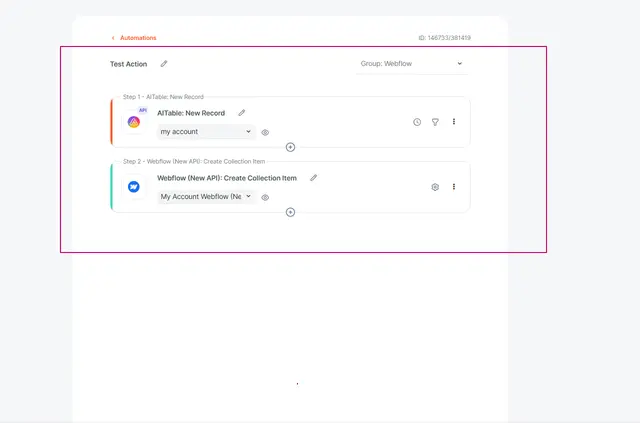
Install Integrately in Webflow, then use the step-by-step guide or video tutorials to configure an automation. Choose connected apps and actions, and use automatic field mapping to match information between them.
Add filters or conditional data formatting to control workflow steps. For a custom integration, Integrately also supports Webhooks.
When it's a good fit
Integrately suits Webflow sites where teams need to handle repeat tasks across several apps. A form submission can trigger follow-up activity in a connected service, such as preparing an invoice or assigning a task.
It can also create or update Webflow items and orders. These options help teams automate both form follow-ups and changes to Webflow content or ecommerce data.
Questions about Integrately
Is Integrately free?
Integrately offers a free option and paid plans. Annual billing prices range from $19.99 per month to $239 per month.
What can Integrately access in my Webflow account?
It can edit CMS and ecommerce data, and read forms, sites and your user profile.
What can happen after a Webflow form is submitted?
Integrately can send submissions to connected apps for follow-up emails, mailing lists, invoices, support tickets or tasks.
Can I build a custom integration with Integrately?
Yes. Integrately supports custom integrations using Webhooks.
Can Integrately create or update Webflow items and orders?
Yes. It can create or update items and orders in Webflow.