Optimize Webflow Forms with Form Fields Pro App for Advanced Customization
Give your Webflow forms searchable selects, date and number pickers, and a way to capture a customer's IP address.
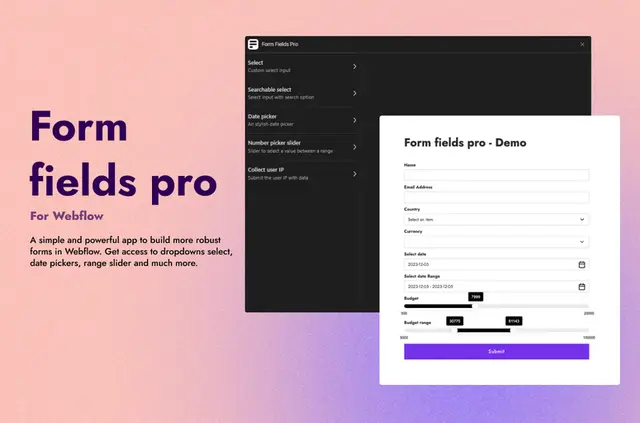
Inside the Webflow Designer, you can add Form Fields Pro inputs to forms on your site. FlowAppz made the app for Webflow projects that need more than basic native fields.
Choose from controls for selections, dates and numeric values, or include an input that captures a customer's IP address.
The main tools
The form tools include:
- Add a select menu that supports search and visual changes.
- Let people choose a date or date span, then adjust colors and formats.
- Set permitted numeric limits for a range control and change its appearance.
- Include a field that captures a customer's IP address.
What it asks for
Form Fields Pro has a free option as well as paid plans. Installation requests permission to edit pages, custom code, forms and sites, and to read your user profile.
What Form Fields Pro does
The app expands the input types available in a Webflow form. For example, you can offer a searchable selection menu, let someone pick dates, or define numeric limits for a range input.
Questions about Form Fields Pro
Who developed Form Fields Pro?
FlowAppz made Form Fields Pro.
Can visitors search within a select menu?
Yes. The select component supports searching and visual customization.
What date input choices are available?
You can use a single-date picker or one for a date span. The date field also lets you adjust its colors and formats.
Can I set the permitted values for a numeric range?
Yes. Set the numeric bounds for the range picker and customize its appearance.
Is there a field for capturing a customer's IP address?
Yes. Form Fields Pro includes an input that can capture a customer's IP address.