Filter and Search CMS Collections with CMS Filter Webflow App
Give visitors searchable Webflow CMS listings with filters, sorting, and pagination, without writing custom code.
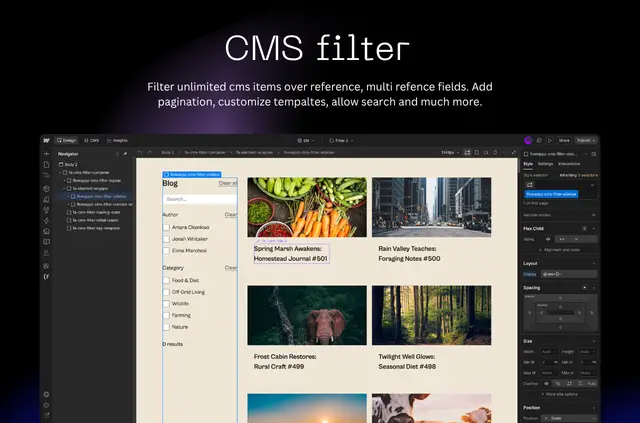
If you manage a Webflow site with CMS listings, CMS Filter lets you give visitors ways to find and browse the content. It works with Collection Lists and is suited to listings that may contain thousands of items.
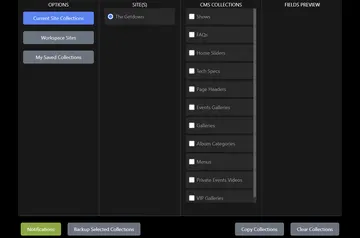
Filtering and search run on FlowAppz servers after you sync selected collections and referenced collections. To set it up, authorize your site, activate a license, sync the collections, then add a generated template and connect its list and card elements before publishing.
Feature notes
Build controls from your CMS fields and choose how visitors move through the results.
- Add checkboxes, tags, dropdowns, or buttons as filters for CMS field values.
- Let visitors search collection content and sort the matching results.
- Offer pagination, a load-more button, or infinite scroll to browse results.
- Put selected filters in the URL so visitors can bookmark or share a filtered view.
Pricing and permissions
CMS Filter is listed as paid, and it requires a Webflow CMS plan. The plan you choose determines the number of CMS items you can sync.
When installed, it can edit custom code and sites, and read CMS content and your Webflow user profile.
Questions about CMS Filter
How do I add CMS Filter to a page?
Install it through Webflow’s Apps panel, authorize your site, activate your license, and sync the collections you need. Add its generated template, connect the Collection List and card elements, set up controls, and publish.
What happens to my collection data when I publish CMS changes?
CMS webhooks update the app’s synced collection data when you publish content in Webflow.
What happens if I disconnect CMS Filter?
Disconnecting removes the collection data synced to the app and its registered script.
Can visitors share a filtered collection view?
Yes. The selected filters are reflected in the URL, which visitors can bookmark or share.
Does the app work with large CMS collections?
It is intended for searchable, filterable CMS listings, including collections with thousands of items. The plan sets the maximum number of items you can sync.