Restore Deleted CMS Items with CMS Undo Webflow App
CMS Undo works with Webflow CMS items, keeping a history you can use to review changes and restore items.
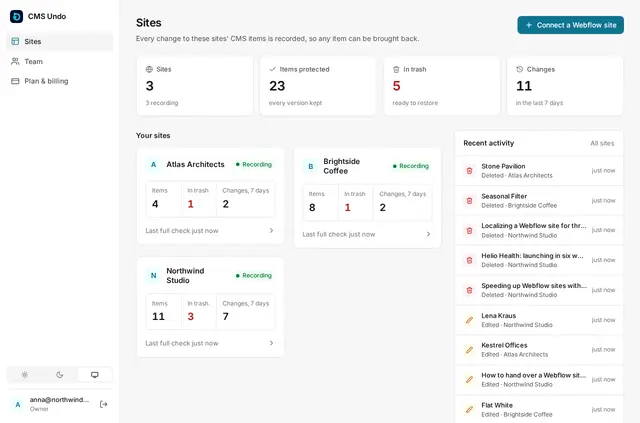
CMS Undo is a Webflow app for recovering and reviewing CMS item changes. It keeps a history of edits and deletions so you can bring back one item without reverting the whole site.
Its trash bin, version history, comparisons and change log help you trace what changed. Restored items can also regain images from private copies CMS Undo retains.
Where it fits
CMS Undo suits sites where CMS content changes need a recovery trail, including agency projects managed across client sites. A shared dashboard and separate teammate logins support team access.
It covers collection content, while Webflow site backups remain useful for design changes.
From install to first use
Connect your site through the Webflow Marketplace; CMS Undo requires no site code or installation. After connecting, use its dashboard to access CMS history and recovery tools.
Quick answers about CMS Undo
Which permissions does CMS Undo ask for?
It requests permission to edit CMS and sites.
Does CMS Undo work with Webflow CMS collections?
Yes. CMS Undo records and changes CMS collections.
Can I restore one CMS item without reverting the whole site?
Yes. You can restore an individual item rather than roll back the entire site.
What happens when many CMS items are deleted at once?
A mass-deletion guard holds large batches for review and sends an email alert.
What does CMS Undo cost?
Solo costs 9.99 USD per month for one site. Agency costs 4.90 USD per site for five or more sites, then 2.90 USD per site after 20 sites.