Edit CMS Content on Mobile with MobileFlow Webflow App
MobileFlow works with Webflow CMS, letting people edit collection content from a mobile device.
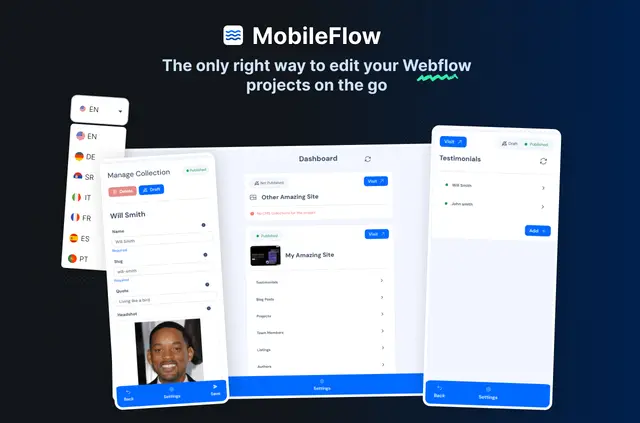
Webflow site owners and teams use MobileFlow to update CMS content from phones, tablets or computers. It connects to a Webflow account to access sites and CMS collections.
The mobile-focused editor handles text, images and links. Changes can be saved as drafts or published to a live site, and edits can be kept on the device when internet access is unavailable.
Getting started in Webflow
Open MobileFlow in a browser and connect a Webflow account to access its sites and CMS collections. No app installation is needed to begin using it.
Things to keep in mind
A browser and Webflow account are required to access site content. MobileFlow is paid and offers a one-time payment option rather than monthly fees.
When installed, it can edit CMS content, assets and sites, and read the user's profile. Its interface is available in English and German; the language setting can be changed in the app's settings.
Questions about MobileFlow
Can changes be reviewed before they go live?
Yes. Edits can be saved as drafts or published to the live site.
Can MobileFlow keep edits when a connection drops?
Edits can be stored on the device when internet access is unavailable.
Which parts of a CMS item can be edited?
The editor supports changes to CMS text, images and links.
Can the interface be used in German?
Yes. MobileFlow supports English and German, with a language switch in settings.
Does MobileFlow charge monthly?
MobileFlow offers a one-time payment option instead of monthly fees.