Efficient Bulk SEO Editing with BulkSEO Webflow App
Manage SEO metadata across multiple pages in your Webflow project with BulkSEO.
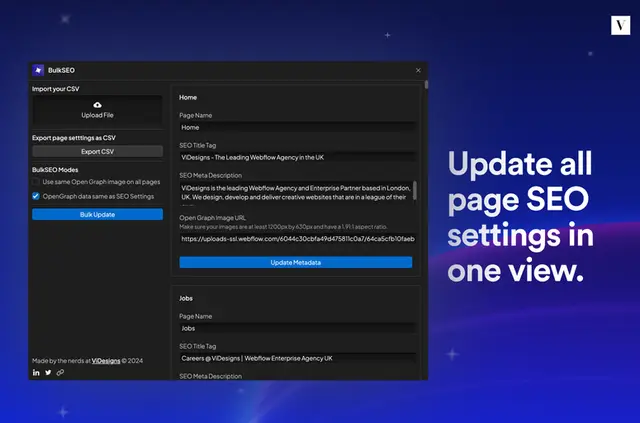
If you manage a Webflow site and need to revise metadata on many pages, BulkSEO lets you export page settings, edit them in a CSV, and import your changes.
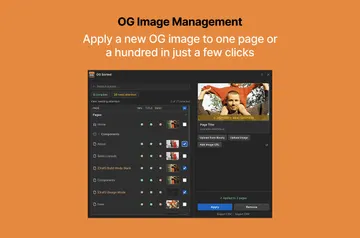
Made by ViDesigns, it also supports applying one Open Graph image URL across pages and syncing Open Graph data with SEO settings.
Before you install
BulkSEO has a free option as well as paid plans. Its Webflow permissions allow it to change pages and view CMS content and your profile.
What you can do with it
Export existing page settings to a CSV, update SEO titles and meta descriptions in the file, then import it to apply the edits. You can also upload a CSV containing SEO data to import page settings.
Set a global Open Graph image URL for all pages, or synchronize Open Graph data with your SEO settings. The interface reports import and export status.
Who it suits
BulkSEO suits Webflow site managers handling metadata changes across many pages. It is relevant when you want to revise page titles or descriptions in a CSV rather than update each page separately.
BulkSEO FAQ
How do you install BulkSEO in Webflow?
Install BulkSEO in your Webflow project and grant its requested permissions: it can edit pages and read CMS data and your user profile.
Can I update SEO titles and meta descriptions in bulk?
Yes. Export page settings to a CSV, edit the SEO titles and meta descriptions, then import the file to apply the changes.
Can I apply the same Open Graph image to every page?
Yes. BulkSEO can apply a global Open Graph image URL across all pages.
Can BulkSEO synchronize Open Graph data with SEO settings?
Yes. The app can synchronize Open Graph data with your SEO settings.
Does BulkSEO show whether an import or export has finished?
Yes. Its interface provides status feedback for imports and exports.