Efficient Content Creation with Krastie AI Webflow App
AI-powered document editing tool for effortless blog post creation, collaboration, and advanced formatting.
No longer on Webflow. This app is no longer in Webflow's app marketplace, so there's no install link. See similar apps or all Content apps.
About app
Krastie AI is a powerful tool designed specifically for Webflow designers and developers to revolutionize the way they create and edit blog posts. Here is a detailed overview of the app's purpose, main features, benefits, potential drawbacks, and best use cases:
Purpose:
Krastie AI is a cutting-edge AI-powered document editing tool that enables users to create AI blog post copy effortlessly. The app aims to streamline the content creation process, enhance collaboration, and optimize the overall writing experience for professionals.
Main Features:
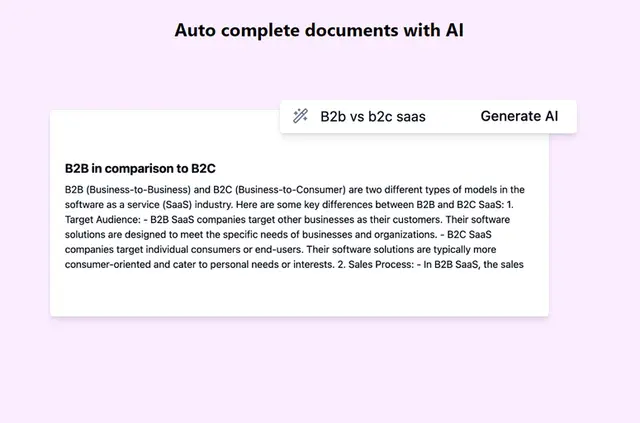
- AI Editing: Generate AI blog copy with human-sounding text for future-ready content.
- Humanized by Default: Natural-sounding text is the default, requiring no additional configuration.
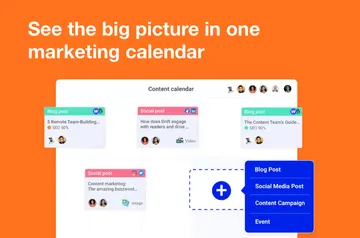
- Collaboration Made Easy: Seamlessly share documents, receive real-time suggestions, and collaborate with team members securely.
- Advanced Formatting: Utilize intelligent formatting tools to optimize the layout and structure of documents efficiently.
- Secure and Private: Ensures data privacy and security by employing industry-leading encryption standards.
Unique Functionalities:
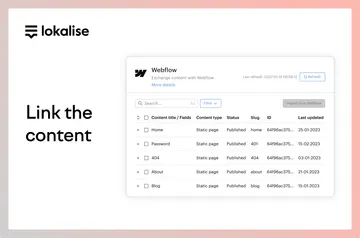
- Map Webflow CMS fields: Integrate seamlessly with Webflow CMS fields for streamlined content management.
- Generate AI blog copy: Create AI-enhanced blog posts with humanization by default for engaging and authentic content.
- Edit blog posts in intuitive interface: Edit and tailor blog posts within the app's intuitive document editing interface for a smooth workflow.
- Submit blog posts to Webflow directly: Submit edited blog posts directly to Webflow from within the document editor, saving time and effort.
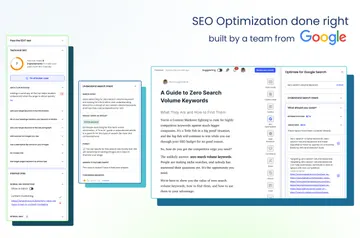
- Optimized for search engines: Ensure that the generated content is optimized for search engines like Google to improve visibility and rankings.
How it Helps Webflow Designers and Developers:
- Efficiency: Automates tedious editing tasks, allowing users to focus on crafting their message.
- Performance: Enhances content quality with AI-generated suggestions that maintain the user's unique voice.
- User Experience Improvements: Provides a user-friendly interface that caters to both tech-savvy users and those less familiar with AI tools.
Real-world Scenarios:
- A Webflow designer can use Krastie AI to generate AI-enhanced blog content for a client's website, ensuring high-quality, engaging posts.
- A team of Webflow developers working on a content-heavy project can collaborate seamlessly within the app to edit and optimize documents efficiently.
Benefits:
- Unmatched precision in content generation.
- Time-saving automation of editing tasks.
- Intuitive user interface for easy navigation.
- Secure data handling to protect privacy and confidentiality.
Drawbacks/Improvement Areas:
- The need for additional customization options for users requiring more control over AI-generated content.
- Potential learning curve for users not familiar with AI-enhanced editing tools.
Summary:
Krastie AI is a game-changer for Webflow designers and developers, offering advanced AI-powered content generation, seamless collaboration, and optimized document editing. Its precision, time-saving features, and user-friendly interface make it a valuable tool for enhancing content creation workflows.
Recommendation:
Webflow designers and developers looking to streamline their content creation process, improve content quality, and collaborate effectively with team members will benefit the most from Krastie AI. This app is incredibly useful for generating engaging blog content, optimizing document formatting, and ensuring search engine optimization for Webflow projects.