Track Optimization Events with Mixpanel for Webflow Optimize
Track which Webflow Optimize variations visitors see by sending experimentation events to Mixpanel.
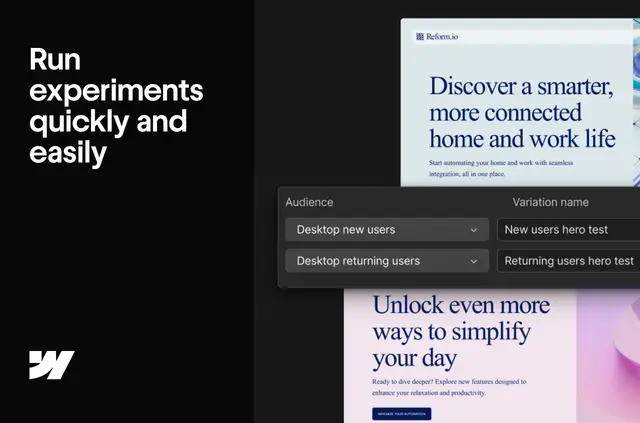
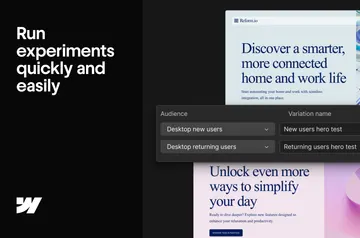
Site owners and teams running experiments can bring variation exposure into Mixpanel without adding a separate tracking setup. Mixpanel for Webflow Optimize connects Webflow Optimize with Mixpanel and sends an event when a visitor is shown a variation.
What it handles
When a live page variation or optimization appears to a visitor, the integration records an “Optimization Viewed” event and sends it to Mixpanel. This gives teams a way to examine experimentation activity alongside other behavioral data there.
The event name can be changed to match a team’s Mixpanel event taxonomy.
Things to keep in mind
The integration is available only on Enterprise plans. Webflow detects an existing Mixpanel snippet, so the setup does not call for additional code or manual configuration.
Who gets the most out of it
This app suits Webflow teams that use Optimize and want to study experiment exposure in Mixpanel alongside behavioral data. It is most relevant to projects with live variations or optimizations whose activity needs to be included in that analysis.
Mixpanel for Webflow Optimize FAQ
How do I add Mixpanel for Webflow Optimize to a Webflow site?
Webflow detects the existing Mixpanel snippet, so no extra code or manual configuration is needed.
Can non-developers use Mixpanel for Webflow Optimize?
The integration needs no additional code or manual configuration because Webflow detects the Mixpanel snippet.
Where do I use Mixpanel for Webflow Optimize once it's installed?
It sends Webflow Optimize experimentation activity to Mixpanel, where teams can analyze it alongside behavioral data.
What event does the integration record?
It records an “Optimization Viewed” event when a visitor receives a page variation or optimization.
Can I change the event name?
Yes. The event can be renamed to fit your Mixpanel event taxonomy.