Test Page Variants with Split Webflow App
Webflow teams use Split to test page variations and measure which versions lead to conversions.
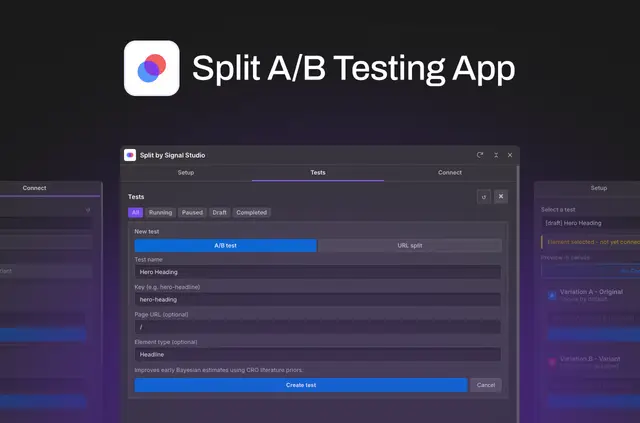
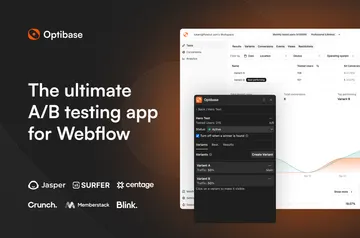
Webflow teams can compare page content and track conversions with Split. They build experiments in a Designer Extension, then use a dashboard to review performance.
Made by Signal Studio, Split is listed with a free option and paid plans. Its Pro plan costs $49 per site per month and includes unlimited tests and visitors. A full month of Pro is free to start, with no credit card required.
Things to keep in mind
Redirect experiments work only with verified domains belonging to the site. Split can wait for supported consent managers before it records analytics.
Returning visitors keep their assigned variation. On a first visit, the original page content may appear briefly before the selected variation loads. Component instances can be tested without detaching them or adding wrapper elements.
Setting it up
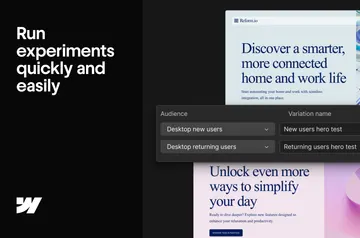
Connect a Webflow site to Split to have the experiment code added automatically. Build tests in Split’s Designer Extension by selecting canvas elements and assigning variations, without writing code.
Publish the site as usual, then start the test from Split’s dashboard. The available formats are element A/B comparisons, URL redirects and multivariate tests.
Questions about Split
Where do I use Split once it's installed?
Create experiments in Split’s Designer Extension, then start them and review results in the dashboard.
Which permissions does Split ask for?
Split can edit custom code and read sites and your user profile.
How much does Split cost?
Split offers a free option and paid plans. Pro is $49 per site per month, with unlimited tests and visitors; its first month is free, and no credit card is required to begin.
Can Split test Webflow components?
Yes. Variations can be assigned to component instances without detaching those instances or adding wrapper elements.
What kinds of experiments can I run?
Split supports element A/B tests, URL redirects and multivariate tests.