Track Site Analytics & Test Variants with Humblytics Webflow App
For Webflow site owners, Humblytics tracks traffic and interactions and compares page variants to measure outcomes.
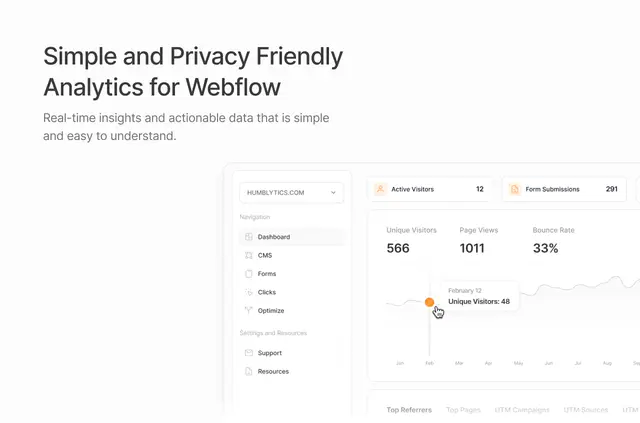
Humblytics works across your Webflow site: it monitors activity on published pages and CMS content, while reporting gives you a place to review results. You can see page views, current visitors, referral sources, locations and visitor engagement.
Use those insights to understand how people move through your site and test alternative page versions. Humblytics is made by Eight Parallel and offers a free option alongside paid plans.
Features worth knowing
Its reporting covers site activity and gives you ways to connect interactions with outcomes.
- Review page views, live visitors, referral sources and geographic data.
- Compare CMS item performance, scroll depth and session duration to assess engagement.
- Use custom attributes to track link and button activity; forms and conversion events are monitored too.
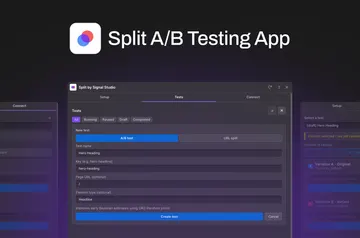
- Run A/B tests on page variants and compare engagement and conversion outcomes.
Worth checking first
Cookie-free tracking hashes IP addresses and device characteristics, then removes the original data. Installation access includes permission to edit custom code and read CMS, pages, forms, ecommerce, site members, sites and your user profile.
Paid plans set monthly allowances for views and events: Plus is $9 per month for up to 10,000, Business is $19 for up to 100,000, and Scale is $49 for up to 500,000.
From install to first use
Install Humblytics for your Webflow site and grant the requested access. It automatically tracks Webflow interactions without custom code or a complex setup, so you can use its reporting and prepare page tests.
The developer describes an agent-assisted route: an AI agent can install tracking and set up tests for your approval. Integrations include Google and Meta ads, Stripe, and AI agents such as Claude Code, Codex, Cursor, Devin and MCP clients.
Quick answers about Humblytics
Do I need to add custom code to track Webflow interactions?
No. Humblytics automatically tracks Webflow interactions without requiring custom code.
Can I track clicks on specific links and buttons?
Yes. Custom attributes let you measure link and button interactions.
Can I compare different versions of a page?
Yes. A/B tests compare page variants for engagement and conversion outcomes.
What does cookie-free tracking do with IP and device data?
It hashes IP addresses and device characteristics, then deletes the original data.
Which paid plan covers up to 100,000 monthly views and events?
Business costs $19 per month and includes up to 100,000 monthly views and events.