Analyze Visitor Behavior with Microsoft Clarity Webflow App
Microsoft Clarity gives Webflow site owners recordings and heatmaps for examining visitor behavior.
Microsoft Clarity is a behavioral analytics app for Webflow sites. Site teams use it to review visitor activity, investigate usability issues and look for conversion opportunities.
Setting it up
To connect Clarity to a Webflow site, grant it access to edit custom code and sites. Data collection can start within minutes, after which the dashboard presents site insights for review.
Feature notes
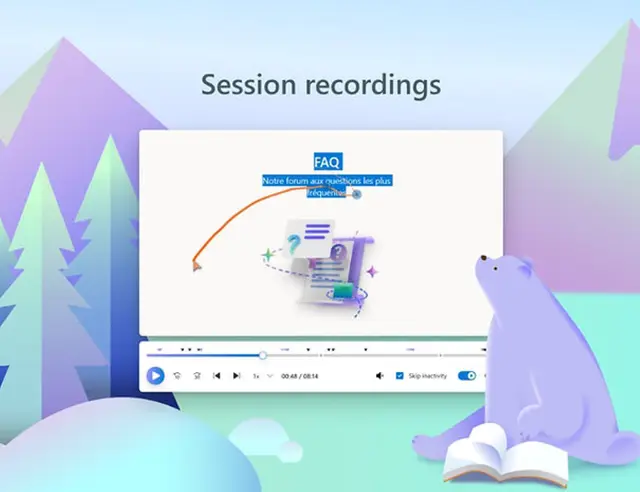
- Session recordings replay visitor sessions to help teams spot usability problems and where visitors leave.
- Heatmaps display click locations and how far visitors scroll on site pages.
- Clarity Copilot summarizes recordings and heatmaps, answers analytics questions and offers recommendations.
- The dashboard presents site insights and integrates with Google Analytics.
What Microsoft Clarity does
Clarity collects behavioral data from a Webflow project for analysis. Teams can examine a recording to investigate a point where visitors drop off, or use a heatmap to see which parts of a page receive clicks and how far people scroll. Before uploading data, Clarity masks sensitive content, including personal user information.
Common questions
What does Microsoft Clarity cost?
Microsoft Clarity is free to use, so site teams can analyze visitor behavior without paying for the app.
What access does Clarity request in Webflow?
Clarity requests permission to edit custom code and sites when installed.
Does Clarity mask sensitive information?
Yes. It masks sensitive content, including personal user information, before uploading it.
Does Clarity work with Google Analytics?
Yes. The Clarity dashboard integrates with Google Analytics.
What can Clarity Copilot do with analytics?
Clarity Copilot can summarize recordings and heatmaps, answer analytics questions and provide recommendations.