Analyze Form Abandonment with Zuko Form Analytics Webflow App
Use Zuko Form Analytics on Webflow sites to see where visitors leave forms and what may cause drop-offs.
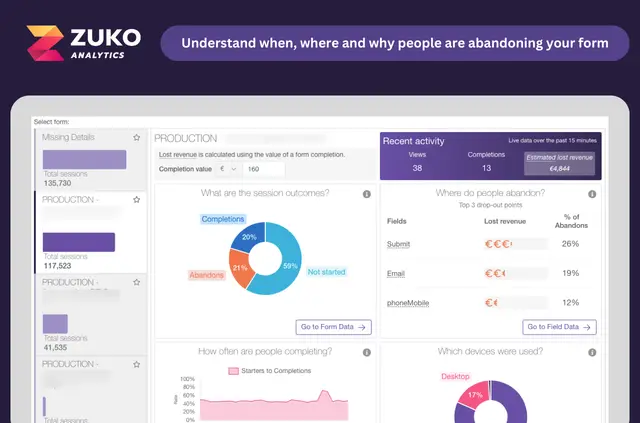
Once Zuko is set up, you can see where visitors stop in your forms and review possible causes of drop-offs. The reports help you understand how people move through each form.
You can shape reports around particular goals and share them with your team. Zuko Analytics describes the app as a way for teams to investigate abandonment and work to improve form completion.
Setting it up
Add the app to your Webflow site without coding. Zuko says setup takes two tags, and you do not have to tag each form field. After setup, use the reports to examine visitor journeys and possible friction points.
What it asks for
When you install Zuko Form Analytics, it asks for permission to edit custom code in Webflow. This is the access level the app requests.
Zuko Form Analytics FAQ
Can Zuko work with third-party forms or checkout providers?
Yes. Zuko works with Webflow sites and supports third-party form and checkout providers.
How can I tell where visitors leave a form?
The app tracks how people progress through forms and highlights possible friction points, so you can see where visitors stop.
Can I tailor reports to a particular goal and share them?
Yes. You can adapt reports to specific goals and share them with your team.
Do I need to add code or tag every form field?
No. The app can be set up without coding, and Zuko says installation uses two tags without requiring individual field tags.
What kinds of teams is this app intended for?
It suits teams looking to understand why visitors abandon forms and improve form completion.