Create Triggered Marketing Popups with Awesome Popups Webflow App
Site owners get timed, targeted popups made from Webflow elements or gallery templates, with settings for when they appear.
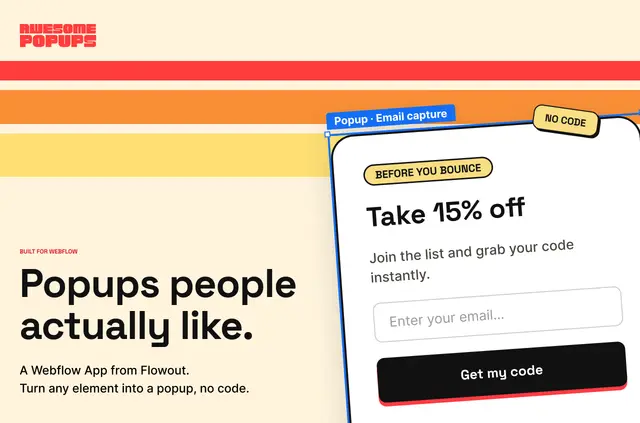
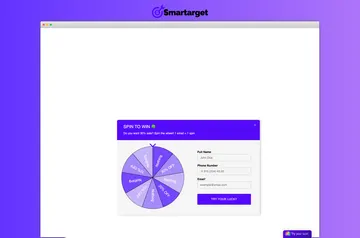
Visitors see popups that can respond to their actions or browsing context. Webflow designers and agencies build them visually in the Designer, using page elements or gallery designs for cookie consent, marketing, conversion, and engagement.
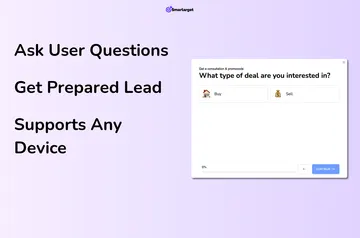
Popup settings include multi-step flows, placement, animation, overlays, and timing. The app also provides per-popup analytics and ways to send signup data to other services.
What you can do with it
Awesome Popups turns Webflow elements and gallery templates into popups triggered by exit intent, scroll depth, a time delay, or a click. Designers can set position and offset, choose animations and overlays, and configure timing.
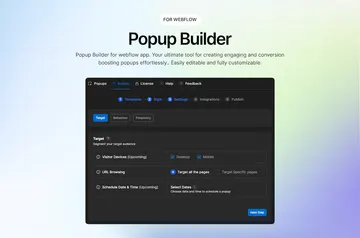
Rules can target a page, visitor, or device. Scheduling and display frequency settings determine when a popup runs and how often it appears.
What it asks for
Awesome Popups is listed as paid. When installed, it can edit pages and custom code, and read sites and your user profile.
Feature notes
- Choose exit intent, scroll depth, time delay, or clicks to trigger a popup.
- Set page, visitor, and device targeting, along with schedules and display frequency.
- Use the gallery’s cookie consent, marketing, conversion, and engagement designs.
- Route signup data to email tools, CRMs, Zapier, webhooks, or Webflow native forms.
Common questions
Does Awesome Popups suit client projects?
It is designed for Webflow designers and agencies.
How do you install Awesome Popups in Webflow?
The app’s panel installs a one-time embed script.
What does Awesome Popups track for each popup?
Its analytics track impressions, CTA clicks, dismissals, and conversions.
Can popups have more than one step?
Yes. Awesome Popups supports multi-step flows.