Boost Engagement and Conversion Rates with the Countdown Popup Webflow App
On Webflow sites, Countdown Popup adds timed popups for offers, launches and mailing list signups.
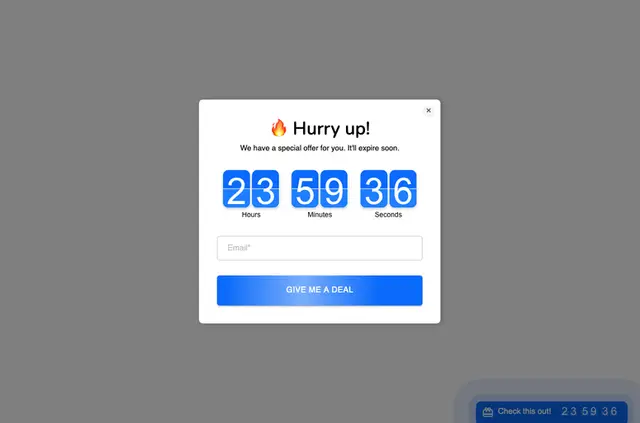
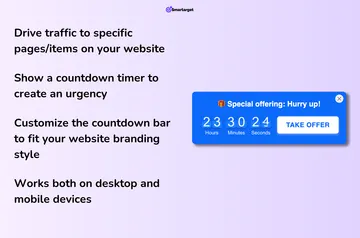
Without Countdown Popup, site builders may need to create a timed message themselves or use another tool. With the app, they can display countdown popups on a website and adjust their styling to fit the site.
What's included
- Show a timer tied to a special offer.
- Send visitors to a designated landing page during a limited-time promotion.
- Collect mailing list signups through a popup.
- Adjust popup styling to match the website.
Pricing and permissions
Countdown Popup has a free option and paid plans. When installed, it can edit custom code and read sites in Webflow.
Where it fits
The app suits Webflow projects promoting time-limited offers or product launches. A countdown can mark the deadline and encourage visitors to act promptly, while a popup can lead them to a campaign page or invite them to join a mailing list.
Questions about Countdown Popup
Who makes Countdown Popup?
Countdown Popup is made by Smartarget.
Can Countdown Popup show a timer for a special offer?
Yes. It can display a countdown timer for a special offer.
Can a popup send visitors to a landing page?
Yes. Popups can direct visitors to a designated landing page for a limited time.
Can the app collect mailing list signups?
Yes. Countdown Popup can be used to collect mailing list signups.
Can popup styling be changed?
Yes. Popup styling can be adjusted to match a website.