Collect Newsletter Signups Through Quizzes with Quiz Popup Webflow App
Add a timed or visitor-triggered quiz popup to your Webflow site to collect newsletter signups.
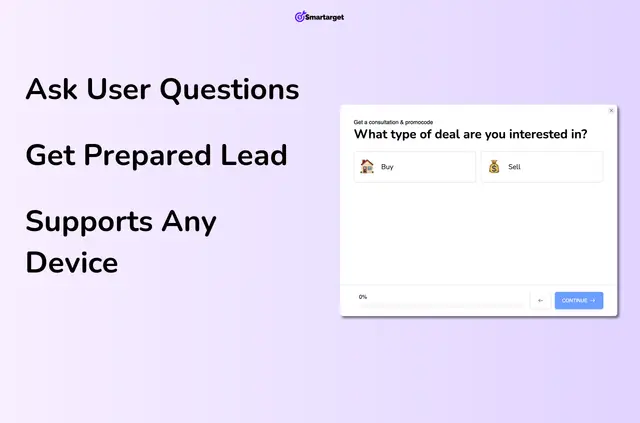
If you run a Webflow site and want to collect newsletter signups through a quiz, Quiz Popup lets visitors answer questions before joining. You can offer a discount code as an optional signup incentive.
Smartarget makes the app. Its popup works for desktop and mobile visitors, and gathered visitor data can inform your conversion efforts.
Who it suits
Use it on a Webflow site where you want newsletter signup to involve a short, interactive quiz. It may suit teams testing signup approaches or collecting visitor details as part of conversion work.
Before you install
Quiz Popup is listed as paid. When installed, it can read sites and edit custom code in your Webflow account.
What it handles
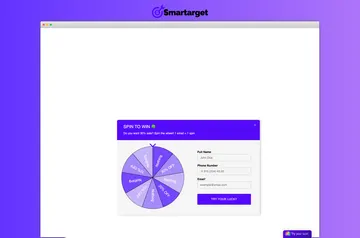
Build quiz content with images, text, date selectors or number ranges. Set fields as required or optional, then schedule the popup or have it appear when someone visits.
You can also let visitors open the quiz from a floating call-to-action button. The signup can include an optional discount code.
Questions about Quiz Popup
Can visitors open the quiz from a button?
Yes. A floating call-to-action button can open the popup.
Can I choose which quiz fields visitors must complete?
Yes. You can mark quiz fields as required or optional.
Can I control when the popup appears?
Yes. You can schedule its display or have it appear when someone visits your site.
What types of quiz content can I add?
Quiz content can include images, text, date selectors and number ranges.
Does the quiz work for mobile visitors?
Yes. Quiz Popup supports both mobile and desktop visitors.