Collect Leads Through Prize Wheels with Lucky Wheel Webflow App
Add a prize wheel to a published Webflow site and collect visitor details in return for rewards.
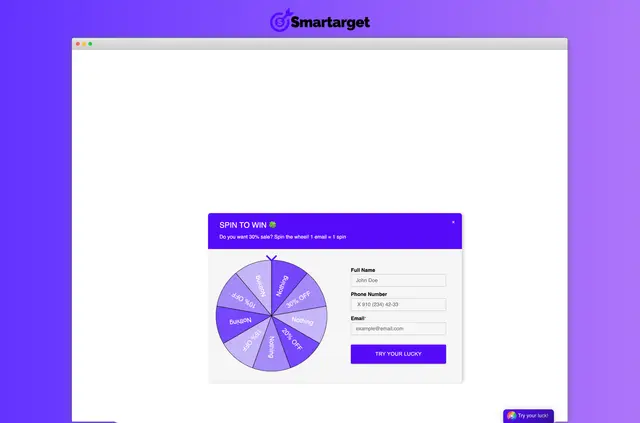
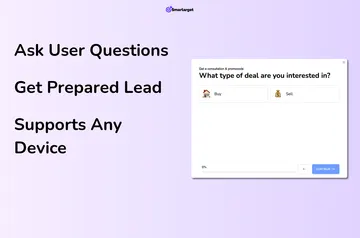
Lucky Wheel runs on the published site, where visitors provide information to play for a reward. Smartarget makes the app.
Businesses can use collected contact details in email marketing, such as newsletters, sale announcements, and updates about new items.
Features worth knowing
- Ask visitors for an email address, name, phone number, or other details before they play.
- Offer discounts or other prizes, and set a custom message for each result.
- Adjust the wheel’s colors and content, along with its position and popup behavior.
- Choose how often customers can play.
Pricing and permissions
Lucky Wheel offers a free option and paid plans. Its requested Webflow permissions allow it to edit custom code and read sites.
Lucky Wheel in practice
In a Webflow project, the wheel gathers visitor details on the published site as people play for a reward. A business might offer a discount, display a result-specific message, then use the collected contact details in an email campaign.
Quick answers about Lucky Wheel
What details can visitors enter to play?
They can provide an email address, name, phone number, or other information.
What kinds of rewards can the wheel offer?
It supports discount offers and other prizes.
Can each result have its own message?
Yes. You can set a custom message for each result.
Can I control how frequently customers play?
Yes. You can choose how often customers are allowed to play.
How can businesses use the contact details collected?
They can use them for email marketing, including newsletters, sales announcements, and new-item updates.