Test Offers and Personalize Content with Personizely Webflow App
Use Personizely to compare Webflow page variations, tailor content to visitors, and target campaigns with popups.
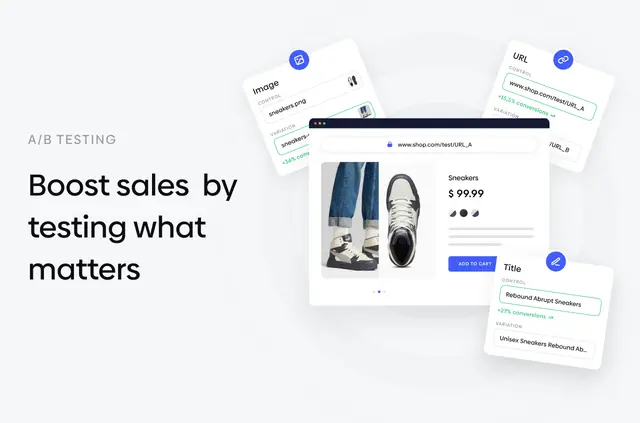
Compare different offers or landing pages to see how they perform, then use visitor context to shape what people see on your site.
Personizely brings testing, personalization, and popup creation together for Webflow projects, including campaigns aimed at growing email lists or addressing cart abandonment.
What it handles
Run tests on page content, URLs, landing pages, and popups, then compare performance with analytics. You can also tailor site sections using signals such as a visitor’s location, referral source, or activity on a page.
Setting it up
To connect Personizely, add its script to your Webflow project; no plugin is needed. Once the script is added, you can use the toolkit for testing, personalization, and popup campaigns.
The main tools
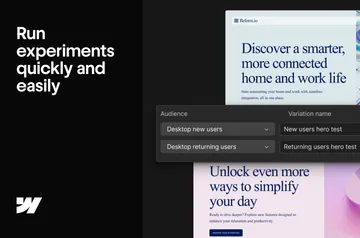
- Compare versions of content, pages, URLs, and popups with performance analytics.
- Adapt site sections to a visitor’s device, location, referral source, page views, scroll depth, or session time.
- Build exit-intent messages, email signup forms, countdown bars, sticky announcements, surveys, and lead quizzes with a drag-and-drop editor.
- Target popup campaigns and run A/B tests, including campaigns limited to mobile visitors.
Personizely FAQ
How much does Personizely cost?
Personizely offers a free option as well as paid plans.
Which permissions does Personizely ask for?
It can edit custom code and read your sites and user profile.
Can I show a popup only to mobile visitors?
Yes. You can target a popup campaign to mobile visitors and A/B test it.
What visitor details can guide personalized content?
Personalization can respond to device, location, referral source, page views, scroll depth, and session time.