Check Sites for Publishing Issues with GoLive Check Webflow App
Catch publishing leftovers in your Webflow project before visitors run into them.
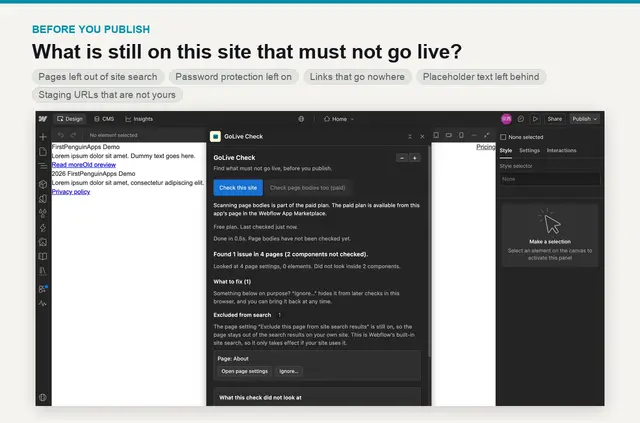
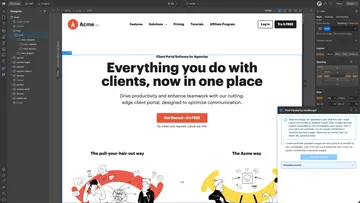
Use GoLive Check in the Webflow Designer to review your site for details that may be left behind before publishing. It adds checks to your site review and helps you locate findings on the canvas.
What you can do with it
The extension checks for pages excluded from site search, password-protected pages, broken links, placeholder text and links pointing to other .webflow.io addresses. Its checks differ from the ones built into Webflow.
Findings can include problems within components. Choose a result to open its element on the canvas; the panel also shows how many times the component is used. You can exclude individual findings, pages, components or entire issue categories from later scans.
Who gets the most out of it
This suits you if you manage a Webflow site and want to catch publishing leftovers, especially issues in reusable components. The free option reviews page settings throughout the site, provides a way to open findings and keeps your ignore list.
For US$9 per month, the paid plan covers one site and extends checks to components and page bodies. Run a page body check when you need it. The extension does not examine forms, CMS collection content or values set at a component placement. Its placeholder check looks for five specified English phrases.
GoLive Check FAQ
Can non-developers use GoLive Check?
Yes. You use it in the Webflow Designer, where selecting a finding opens the relevant canvas element. You can also exclude results from future checks.
Is GoLive Check free?
There is a free option, as well as a paid subscription priced at US$9 per month for one Webflow site. Webflow processes subscription payments through the App Marketplace; GoLive Check does not receive payment details.
Who makes GoLive Check?
First Penguin Apps makes GoLive Check.
Does GoLive Check change my site?
No. It reads site content and navigates the Designer without editing the site. Findings disappear when you close the panel, while the ignore list stays in your browser.
Where can I install GoLive Check?
You can install it from the Webflow App Marketplace.