Embed Responsive Videos from Your Library with Wistia Webflow App
Add videos from your Wistia library to Webflow pages from the Designer.
Teams that host videos in Wistia can use the Webflow app to place them on site pages while working in the Designer. It connects a Wistia account and opens its video library there.
Choose a video, select a canvas element and insert the player with one click. The embed stays linked to the same player when its video is updated in Wistia.
What it handles
Use the app to add a Wistia video to a canvas element in a Webflow project. The player adjusts to the space available in its container and does not show ads.
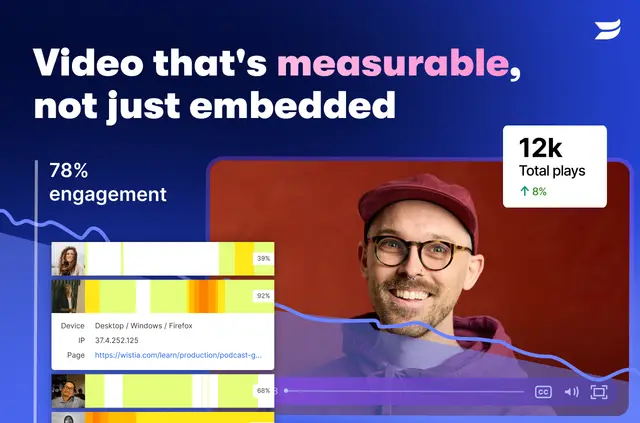
Views on videos embedded through Webflow are included in Wistia analytics, so teams can see those plays alongside their Wistia video activity.
Worth checking first
A Wistia account and videos ready to share are required. To add a video, sign in to Wistia and choose it from the library opened in the Webflow Designer.
The app is listed as free. Embedded videos use Wistia players, and video-view data appears in Wistia analytics.
When it's a good fit
This suits teams that already host videos with Wistia and want to add them without leaving their Webflow design workflow. It is useful for pages where a video needs to fit its container and remain tied to its Wistia player if the video changes.
Quick answers about Wistia
Where do I use Wistia once it's installed?
Use it in the Webflow Designer. The app opens your Wistia video library there so you can choose a video for a page.
How do I add Wistia to a Webflow site?
Sign in to Wistia, select a video, choose a canvas element in Webflow, then insert the player with one click.
How much does Wistia cost?
The app is listed as free.
Do video views from my Webflow pages appear in Wistia analytics?
Yes. Views from videos embedded in Webflow appear in Wistia analytics.
What happens to an embed if I update its video in Wistia?
The existing site embed remains connected to the same player when you update the video in Wistia.