Host Site Media and Collect Form Uploads with Flowdrive Webflow App
Give your Webflow site a media library and collect file uploads through its forms.
Without Flowdrive, managing site media and collecting documents through forms can mean extra tools or manual work. With it installed, you can keep files and videos in a Flowdrive library for use on your Webflow site.
Use the Designer to find media and copy its link, or add upload fields to a form. Flowdrive is aimed at Webflow teams handling site media or gathering files from form submissions.
What it handles
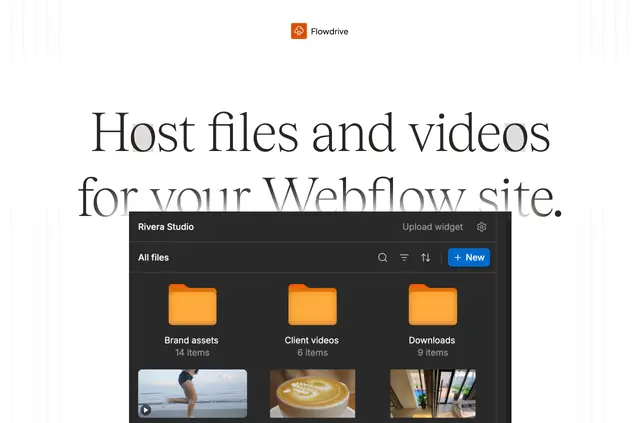
Flowdrive serves files and videos through its own links instead of Webflow hosting. In the Designer library, search or filter files, organize them into folders, and copy links for use on your site. You can also replace a file with another of the same type while retaining the original link.
Sync Assets copies a site's Webflow assets into Flowdrive and can replace matching images on pages. For forms, you can set allowed file types and size limits on upload fields; the resulting submissions include links to the uploaded files. Secured files can use Memberstack member tokens. These tools let teams handle both published media and incoming form files in one workflow.
Pricing and permissions
An account is required to use Flowdrive. The free plan covers basic setup, and paid plans are also available; FlowFav lists both a free option and paid plans.
When installed, Flowdrive asks for permission to edit custom code and read your assets, sites, and user profile.
How setup works
Install Flowdrive and open its library in the Designer to search for media or copy a file link. To bring existing site assets into the library, use Sync Assets; it can also swap matching images on pages.
For form uploads, add Flowdrive upload fields and set the file type and size limits. This feature needs a paid Webflow plan that supports custom code. Once uploads are enabled, a Flowdrive script is added to the site footer and runs on every page; your changes take effect after publishing.
Quick answers about Flowdrive
Can I replace a hosted file without changing its URL?
Yes. Replace it with another file of the same type, and its existing link remains in use.
Can I collect files through Webflow forms?
Yes. Add upload fields with file type and size limits. Form submissions include links to the files people upload.
Can secured files use Memberstack member tokens?
Yes, Flowdrive supports Memberstack member tokens for secured files.
Who made Flowdrive?
Flowdrive was made by Manuel Ogomigo.
What happens when I enable form uploads?
Enabling uploads adds a Flowdrive script to your site's footer, where it runs on every page. Changes take effect after you publish.