Collect Visitor File Uploads with Uploadcare File Uploader Webflow App
For Webflow builders who need a no-code way for visitors to submit files through a website or app.
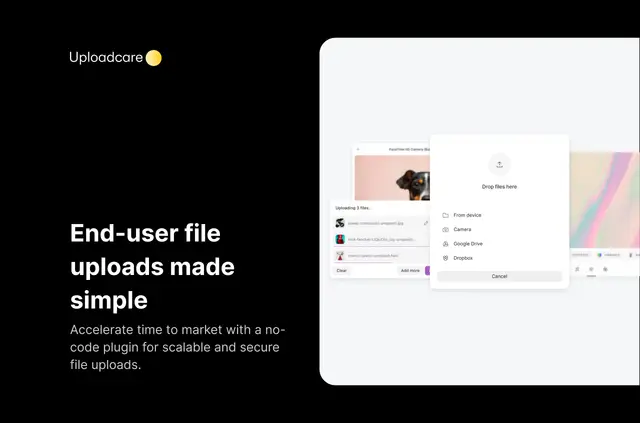
Without a file uploader, you may need to build a custom submission process or direct visitors to another service to collect files. Add Uploadcare File Uploader to let people send files through a Webflow website or app without code.
Visitors can choose a file from their device, camera, or a link, or select one from Google Drive, Google Photos, Dropbox, or Facebook. Common image, video, document, and audio formats are accepted.
Permissions to expect
When installed, the app can edit custom code in Webflow. It can also read your sites and your user profile.
What it handles
Configure the uploader to accept submissions on a Webflow site or app. You can set limits on file size and the number of uploads, while MIME-type filtering blocks unsupported extensions. Uploads are scanned for malware, and infected files are deleted before they reach the production environment.
Files up to 5 TB are divided into chunks and uploaded at the same time. Before submitting, visitors can make image adjustments, including cropping, rotating, flipping, changing brightness or exposure, and applying filters. The interface supports 34 languages; you can also select the upload button’s color scheme.
Questions about Uploadcare File Uploader
What image changes can visitors make before an upload?
They can alter an image’s orientation, framing, brightness, and exposure, or apply a filter before sending it.
Can I limit the size or number of submitted files?
Yes. Set a maximum file size or upload count, and use MIME-type filtering to block unsupported extensions.
Which sources can visitors use to choose a file?
They can select files from a device, camera, or link, as well as Google Drive, Google Photos, Dropbox, or Facebook.
Are large files uploaded in parts?
Files up to 5 TB are split into chunks, which are uploaded concurrently.
What language and appearance options are available?
The uploader can display in any of its 34 supported languages, and you can set the upload button’s color scheme.