Guide Visitors to Relevant Content with Twise Webflow App
Help website visitors find answers, explore products, and reach the right pages or bookings with Twise.
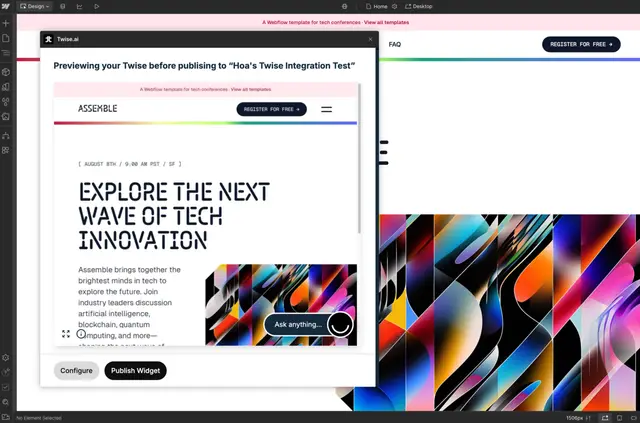
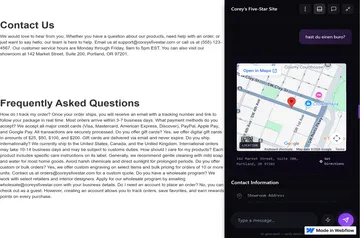
Marketing teams and site owners use Twise to help visitors find information, discover products, or contact sales without navigating menus. The AI concierge can respond by text or speech, with answers that include links, product suggestions, or visual content.
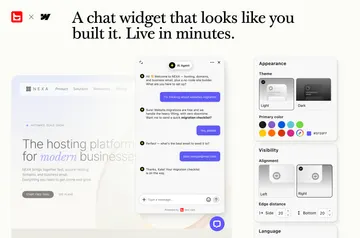
Twise draws on a website and materials supplied as sources. Its appearance and tone can be adjusted to fit a site’s brand.
Pricing and permissions
Twise is listed with a free option and paid plans. When installed, it requests permission to edit custom code and read CMS, pages, ecommerce, sites, and the user profile.
Getting started in Webflow
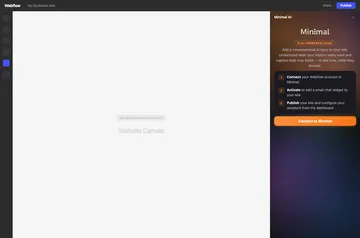
Install the Designer extension to preview the assistant on the live site and publish its embed. The available setup steps cover installing the extension, previewing the assistant, and publishing the embed.
The main tools
The main tools support visitor assistance, lead collection, and site improvement:
- Crawl a website or add PDFs, videos, audio, images, and product catalogues as answer sources; responses support 92 languages and text or speech.
- Collect contact details, qualify leads, and show booking forms within conversations.
- Review visitor questions, captured leads, messages, and content gaps in visitor insights.
- Send captured leads through Zapier to connected services including HubSpot, Salesforce, Google Sheets, and Slack.
Common questions
Can Twise answer visitors in different languages?
It can respond in 92 languages through text or speech, using website content and supplied materials.
Can the assistant collect contact details or help qualify leads?
Yes. It can collect contact details, qualify leads, and display booking forms during a conversation.
Can Twise send captured leads to other services?
Captured leads can be sent through Zapier to services such as HubSpot, Salesforce, Google Sheets, and Slack.
Can I change how the assistant looks and sounds?
Its appearance and tone can be configured to match the website’s brand.
What visitor activity can I review?
Visitor insights include questions, captured leads, messages, and gaps in the website’s content.