Answer Visitor Questions from Site Content with Hazelchat Webflow App
In Webflow, Hazelchat adds a site chat agent that answers visitor questions using content the owner approves.
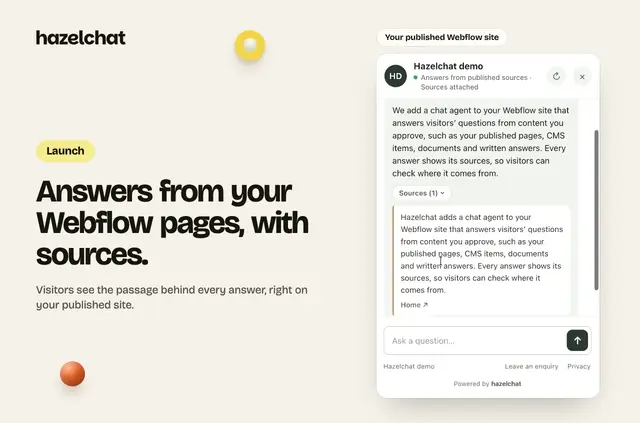
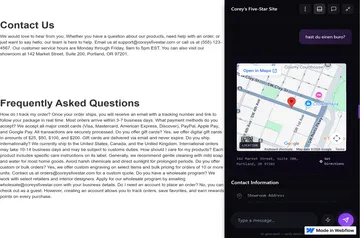
Once set up, visitors can ask questions in a site chat and receive answers based on content selected by the site owner. The chat can also point them to a booking, purchase or contact page, or collect an enquiry.
Hazelchat is for Webflow site owners who want visitors to find information and choose a next step without waiting for a team member to reply. It offers a free option and paid plans; the Webflow app itself has no separate charge.
Things to keep in mind
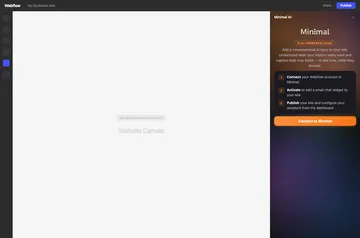
The site needs a Webflow plan that allows custom code, and the account user needs permission to publish. Hazelchat installs its script through Webflow’s API after the owner approves the site; no code needs to be pasted.
Publishing from Hazelchat also publishes other unpublished Designer changes. Owners can instead add the script without publishing, then publish in Webflow. Paid plans include more answers and websites, AI model choices and enquiry emails. Business and Scale plans remove Hazelchat branding.
Hazelchat in practice
Owners choose which published pages and CMS items the agent can use, and can also provide documents and written answers. Hazelchat shows sources below responses. If its AI service is unavailable, the chat displays relevant matching passages instead of an AI-generated answer.
Before switching the agent on, owners can test questions and publish when ready. In a Webflow project, the chat can direct visitors to a booking, purchase or contact page, or offer an enquiry form for questions that need follow-up.
Quick answers about Hazelchat
What can Hazelchat access in my Webflow account?
When installed, Hazelchat can edit custom code and sites, and read CMS content, pages and your user profile.
Does Hazelchat need code pasted into Webflow?
No. After the site is approved, Hazelchat connects through Webflow’s API and adds its script.
Can I choose what content the chat uses?
Yes. Owners select permitted pages and CMS items, and can also provide documents and written answers.
What happens if the AI service is unavailable?
Hazelchat shows relevant matching passages instead of generating an AI response.
Can I publish Hazelchat without publishing my other Designer changes?
Yes. Owners can add the script without publishing through Hazelchat, then publish the site in Webflow.