Add Accessible Reading & Navigation Tools with Readable Webflow App
Give visitors more ways to read and navigate your Webflow site with Readable’s accessibility controls.
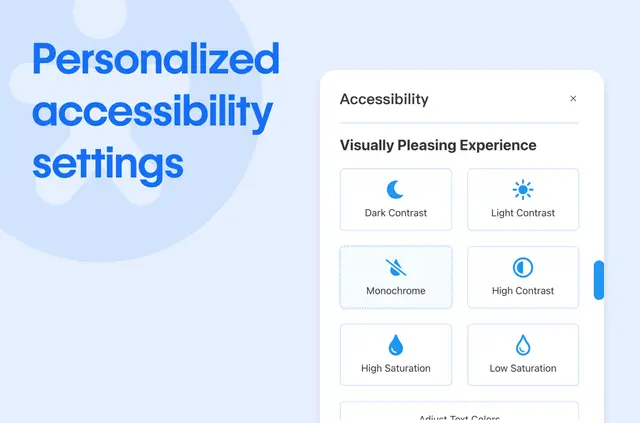
If you want visitors to adapt a page to their reading needs, Readable adds controls for text, spacing, and navigation. You can install it from its Webflow Marketplace listing.
The script is made by Certified Code Apps and is designed for modern browsers as well as CMS and non-CMS websites.
Limits to know
Readable is intended for modern browsers and works with sites built with or without a CMS. Its text-to-speech feature supports more than 60 languages.
The tool saves visitor preferences and is described as GDPR and CCPA compliant. Its online dictionary uses Wikipedia.
Before you install
Readable is listed as free. When installed, it requests permission to edit custom code and to read your sites and user profile.
Who it suits
Consider Readable if you build a website for people with different accessibility needs and want to offer options for reading and getting around its pages.
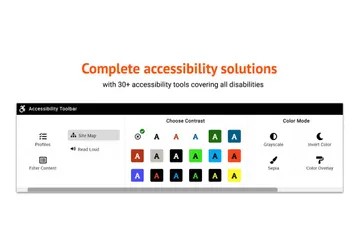
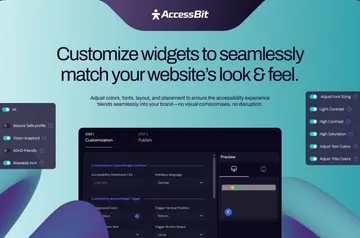
Visitors can adjust text size, line spacing, and font style; switch on flicker-free modes to reduce visual distractions; or use a larger cursor. Readable can also identify page links and present them as a list.
Quick answers about Readable
Can visitors hear page content aloud?
Yes. Readable includes text-to-speech for web content, with support for over 60 languages.
Can visitors look up a word without leaving my site?
Yes. Its Wikipedia-powered dictionary lets visitors look up terms while staying on the website.
Can visitors keep their reading preferences?
Readable saves user preferences, so visitors' choices can be retained.
What visual adjustments can visitors make?
They can change text size, line spacing, and font styles, use flicker-free modes, and choose a larger cursor.
Can Readable help visitors find links on a page?
Yes. It can identify links on a page and show them in a list.