Customize Website Accessibility with Accessibility Enabler Webflow App
Give site visitors accessibility controls, with a toolbar whose colors, position, and trigger icon site owners can customize.
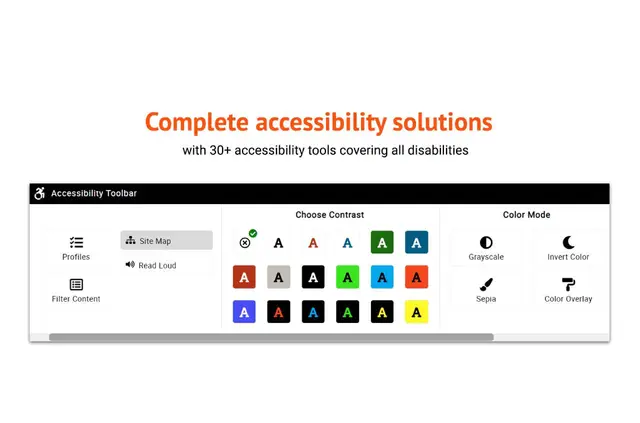
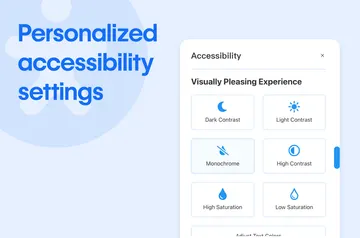
After setup, visitors can personalize pages with more than 30 accessibility tools, including text reading, font and color controls, zoom, translation, and a virtual keyboard.
The Webflow extension embeds Accessibility Enabler without manual code editing. The app also provides an accessibility statement, badge, and certificate.
How setup works
Install the Webflow extension to add a single line of JavaScript through the Webflow app. This embeds the app’s code on the site without requiring direct code edits.
After installation, visitors can use the accessibility toolbar. Site owners can adjust its colors, placement, and trigger icon.
What's included
- Text reading gives visitors another way to access page content.
- Font and color controls let visitors change the appearance of text and pages.
- Zoom lets visitors adjust page magnification.
- Translation and a virtual keyboard offer additional ways to interact with site content.
Where it fits
Accessibility Enabler suits site owners who want visitors to tailor pages to their accessibility needs. The widget supports mobile and tablet use and offers 105 languages.
The toolbar’s appearance can be adapted to a site, and the app includes an accessibility statement, badge, and certificate. The developer website lists plans from $10 per month and a three-day trial that requires no card.
Common questions
What Webflow permissions does installation request?
The app requests permission to edit custom code and sites.
Can I change the toolbar’s appearance?
Yes. Site owners can customize its colors, placement, and trigger icon.
Does the widget work on phones and tablets?
Yes. The widget supports both mobile and tablet use.
How many languages can visitors use?
The widget offers 105 languages for visitors to choose from.
Does the app include accessibility materials for a site?
It provides an accessibility statement, a badge, and a certificate.