Improve Website Accessibility with accessiBe Webflow App
Give visitors an accessibility widget and automate accessibility checks on your Webflow site.
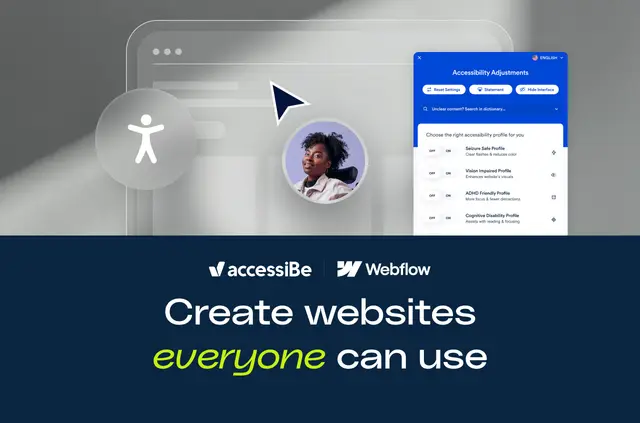
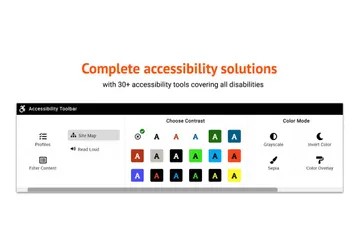
Once set up, visitors can open accessiBe’s widget on your Webflow site and adjust its interface. You can change the widget’s appearance to suit your site’s brand.
The app is designed for Webflow managers looking after one site or several. It combines automated remediation with profiles, reports and other accessibility tools.
Setting it up
Install the Webflow app in a few clicks, without coding. It connects to Webflow and places the accessWidget on your site for visitors to use.
The app is paid. You can try it free for seven days, without a credit card or commitment.
What it handles
The AI-based widget scans your site every 24 hours and automatically addresses accessibility issues, using WCAG as its guide. Visitors can select from six accessibility profiles, adjust interface options and use support for 33 or more languages.
You can provide an accessibility statement and access audit reports and usage statistics. For complex needs, accessiBe offers solutions that pair expert testing and custom code fixes with automated AI.
Caveats
Automated remediation follows WCAG as a guide; complex accessibility requirements may need expert testing and tailored code fixes. When installed, the app can change custom code and access site and profile information.
The $15,000-or-more litigation-support pledge applies to certain subscription tiers only, and terms apply.
Common questions
Which permissions does accessiBe ask for?
It requests access to change custom code, view your sites and read your user profile.
Can agencies use accessiBe on client sites?
It is designed for Webflow managers responsible for one site or many, so agencies managing multiple client sites can use it.
Can I change how the widget looks?
Yes. You can customize its appearance to match your site’s brand.
How often does the widget scan my site?
It scans the site every 24 hours and automatically remediates accessibility issues using WCAG as its guide.
What does the free period include?
The first seven days are free, with no credit card or commitment required.