Generate and Manage Image Alt Text with Assetflow Webflow App
Assetflow helps Webflow designers, developers, and teams review and update image alt text in their projects.
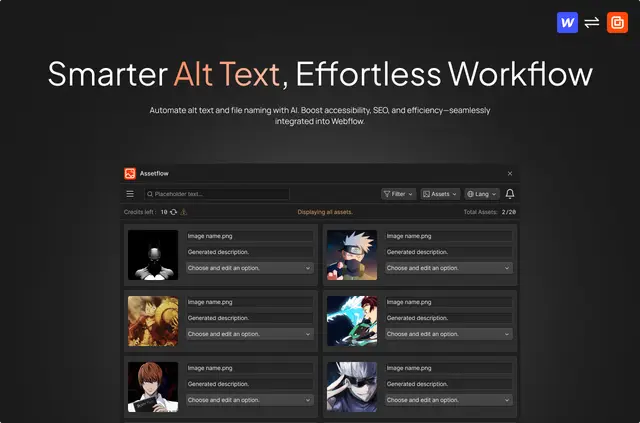
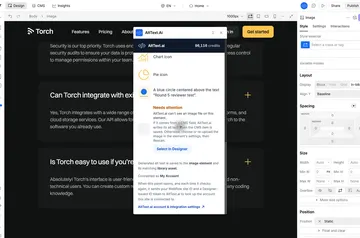
Keeping image descriptions up to date can take time across a Webflow project. Assetflow generates AI suggestions for selected images, which teams can review or edit before applying.
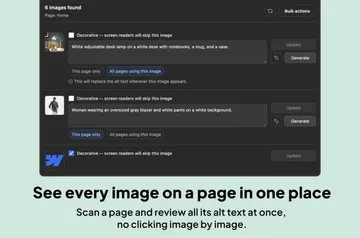
It can also filter images by alt text status and update multiple images in one operation. Assetflow supports English, Spanish, Japanese, and Portuguese.
Getting started in Webflow
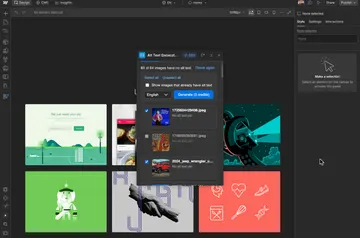
Install Assetflow and connect it to a Webflow project. Select images, then generate alt text suggestions or edit the text for those images.
Review the suggestions and make any changes needed, then apply the chosen text to Webflow with one click. Assetflow works with Webflow assets, including CMS content.
Who it suits
Assetflow is suited to Webflow designers and developers, as well as SEO specialists, agencies, and businesses managing image assets. Its status filters help teams find images with missing or decorative alt text, while batch updates support work across multiple images.
Permissions to expect
Assetflow requests permission to edit CMS content and assets in Webflow. It also requests permission to read sites and the connected user profile.
Quick answers about Assetflow
Can Assetflow create alt text for CMS images?
Yes. It can generate alt text for Webflow assets, including CMS content.
Can teams change alt text for several images at once?
Yes. Assetflow lets users update alt text for multiple images in one operation.
Can users review AI-generated alt text before applying it?
Yes. Users can review and edit suggestions before applying their chosen text to Webflow.
Which languages does Assetflow support?
Assetflow supports English, Spanish, Japanese, and Portuguese.
Who made Assetflow?
Assetflow was made by Creoglyph.