Build Interactive Cost Calculators with Flowstar Webflow App
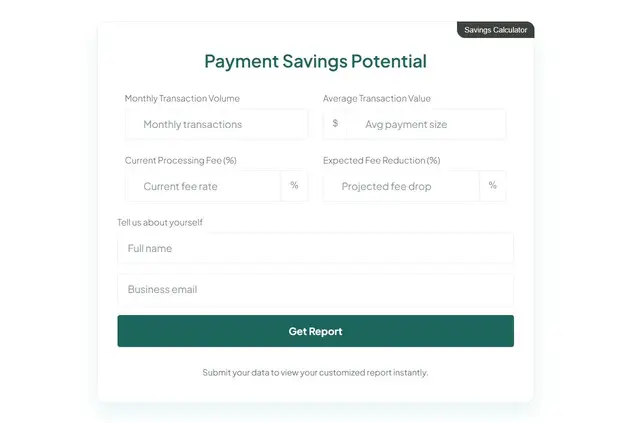
Build no-code calculators that help Webflow site visitors estimate prices, fees, savings, and other values.
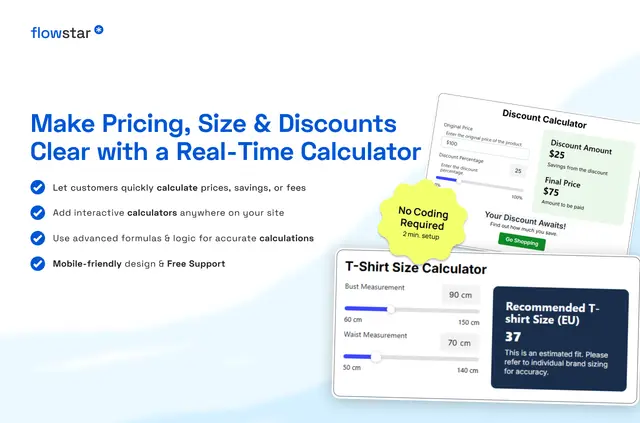
Flowstar works on published Webflow sites: site owners create calculators with a visual builder, then embed one on a page or show it in a popup launched by a teaser button.
The calculators let visitors work out prices, delivery costs, savings, service fees, or other custom values. The app is listed as paid.
Getting started in Webflow
Install Flowstar and use its visual builder to create a calculator without writing code. Add inputs such as sliders, dropdowns, and checkboxes, then set formulas using arithmetic or more advanced logic.
Adjust the calculator’s colors, fonts, dimensions, and layout. Put it directly on a page or open it in a popup from a teaser button; the result adapts to mobile and other screen sizes.
Who it suits
Flowstar suits businesses whose Webflow sites need to help visitors estimate a cost or another value on their own. Examples include price, delivery, savings, and service-fee calculations.
It can fit projects where the estimate depends on visitor choices, since calculators can combine different input types with formulas and can be styled to match the site.
Questions about Flowstar
What can Flowstar access in my Webflow account?
Flowstar can edit custom code and sites. It can read CMS data, pages, assets, ecommerce data, and your user profile.
Can Flowstar work with my CMS items?
Flowstar requests permission to read CMS data, but its calculators are described as custom calculations; no CMS-item workflow is specified.
Can I use Flowstar on an Ecommerce site?
Flowstar requests permission to read ecommerce data. Its calculator can estimate prices, delivery costs, service fees, and other custom values.
Can visitors choose values for a calculation?
Yes. Calculator inputs can include sliders, dropdowns, checkboxes, and other input types.
Can I control how the calculator looks?
Yes. You can customize its colors, fonts, sizes, and layout.